- Home
- Podprti posredniki
- Revolut
Kako Izpolniti Davke Revolut 2026
Enostavno izračunaj svoje naložbene davke Revolut s Tax-Wizard. Avtomatiziraj davčno poročanje Revolut in prihrani čas pri napovedi.
Zadnja posodobitev: · Pregledala ekipa Tax-Wizard · Uradni center za pomoč Revolut ↗
Ta vodnik je namenjen vsem, ki imajo naložbe na Revolutu in iščejo jasnost glede plačevanja davkov. Tukaj navedene informacije naj bi vam koristile pri izračunu davkov za vaše naložbe na Revolutu. Kljub temu je pomembno, da ta vodnik dopolnite z davčnimi predpisi, ki veljajo v vaši državi.
Če morate izračunati davke za svoje naložbe na Revolutu - bodisi na borznem računu, naložbah v kriptovalute, Flexible Cash Funds ali pri Robo-Advisorju - ste na pravem mestu! Obstaja več načinov, kako to storiti, na primer ročni izračun davkov v Excelu, uporaba avtomatiziranega davčnega orodja, kot je Tax-wizard, ali najem davčnega strokovnjaka. Vaša izbira bo pogosto odvisna od vašega proračuna in preferenc.
Kako izvoziti zgodovino Revolut
- 1. Prilagojen izpisek (Priporočeno)
- 2. Revolut Invest (Borzni račun)
- 3. Revolut Robo-Advisor
- 4. Revolut Crypto
- 5. Revolut Flexible Cash Funds
Začnite s prijavo v mobilno aplikacijo Revolut.

Prilagojen izpisek (Priporočeno)
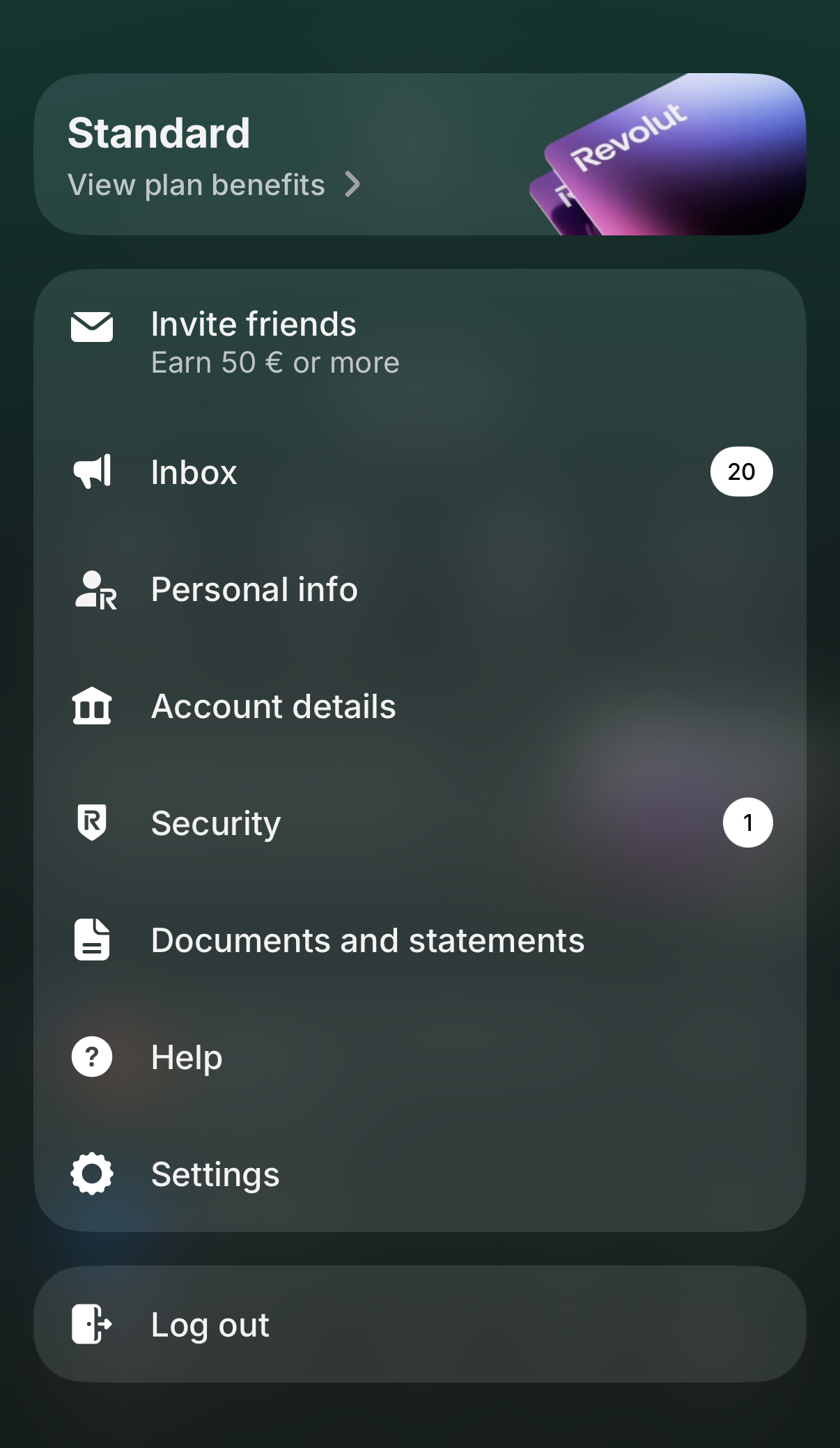
Revolut zdaj omogoča ustvarjanje enega samega prilagojenega izpiska, ki lahko združi več vaših računov v eno datoteko. To je najhitrejši način, da z enim prenosom dobite vse, kar Tax-wizard potrebuje. Tapnite svojo profilno sliko v zgornjem levem kotu, da odprete meni, in izberite "Documents and statements".
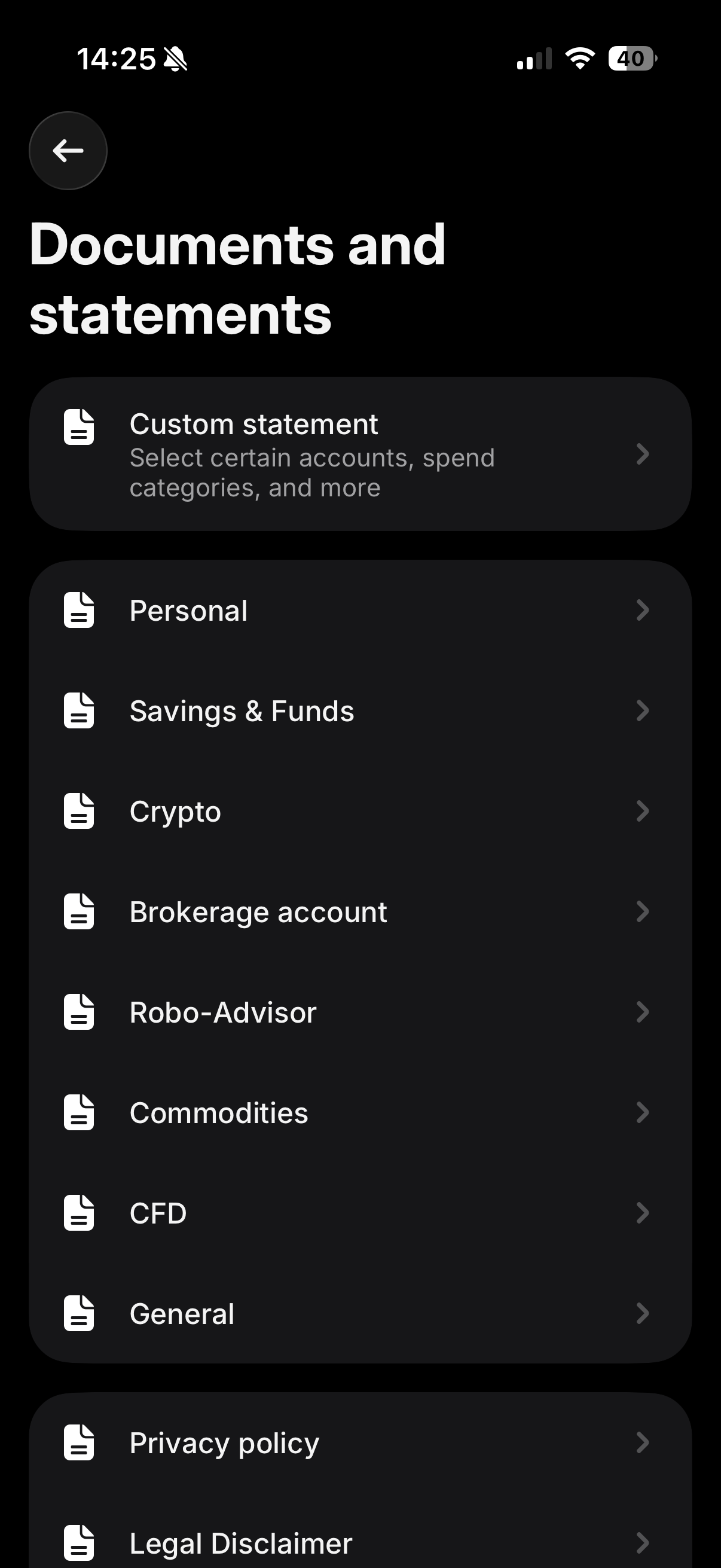
Na zaslonu "Documents and statements" tapnite "Custom statement" - to je prva možnost na seznamu, opisana kot "Select certain accounts, spend categories, and more".
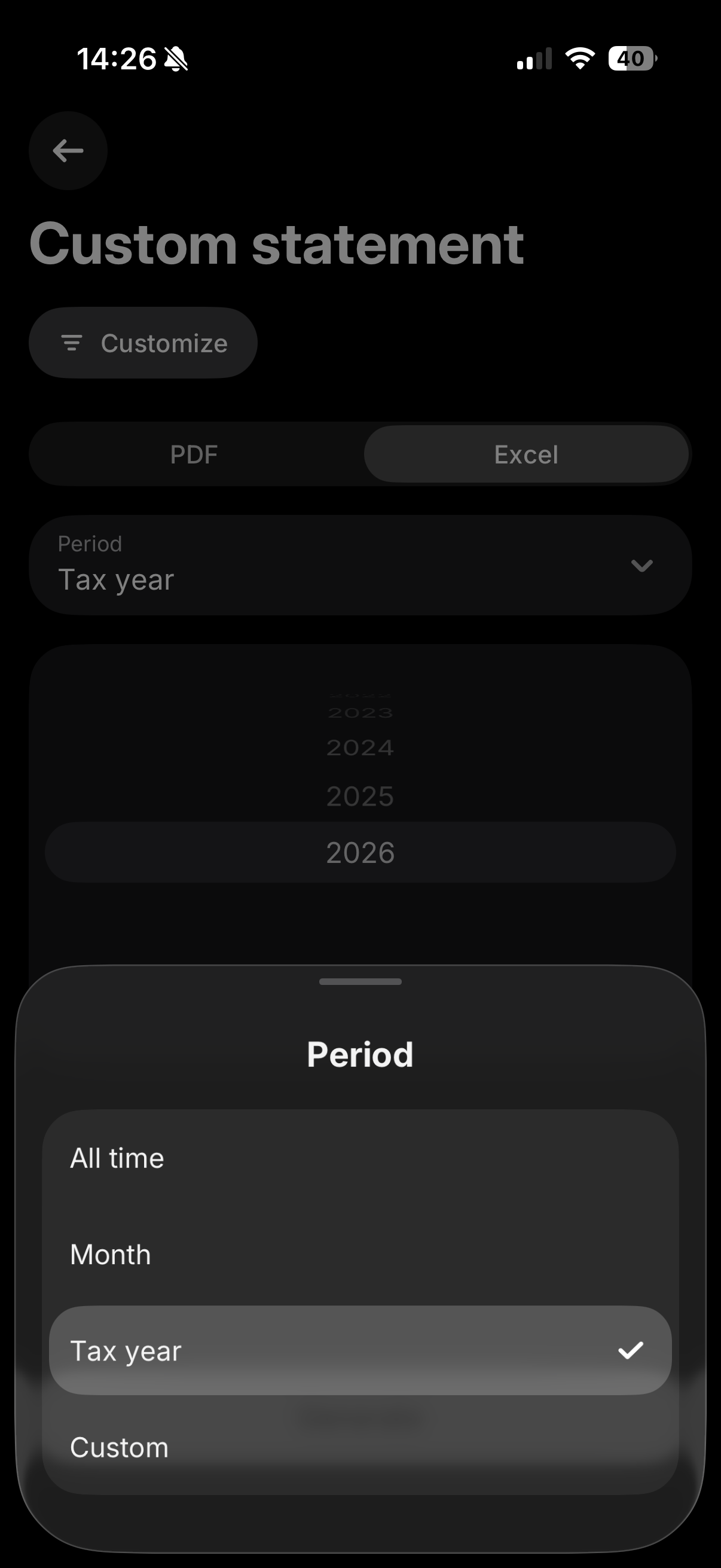
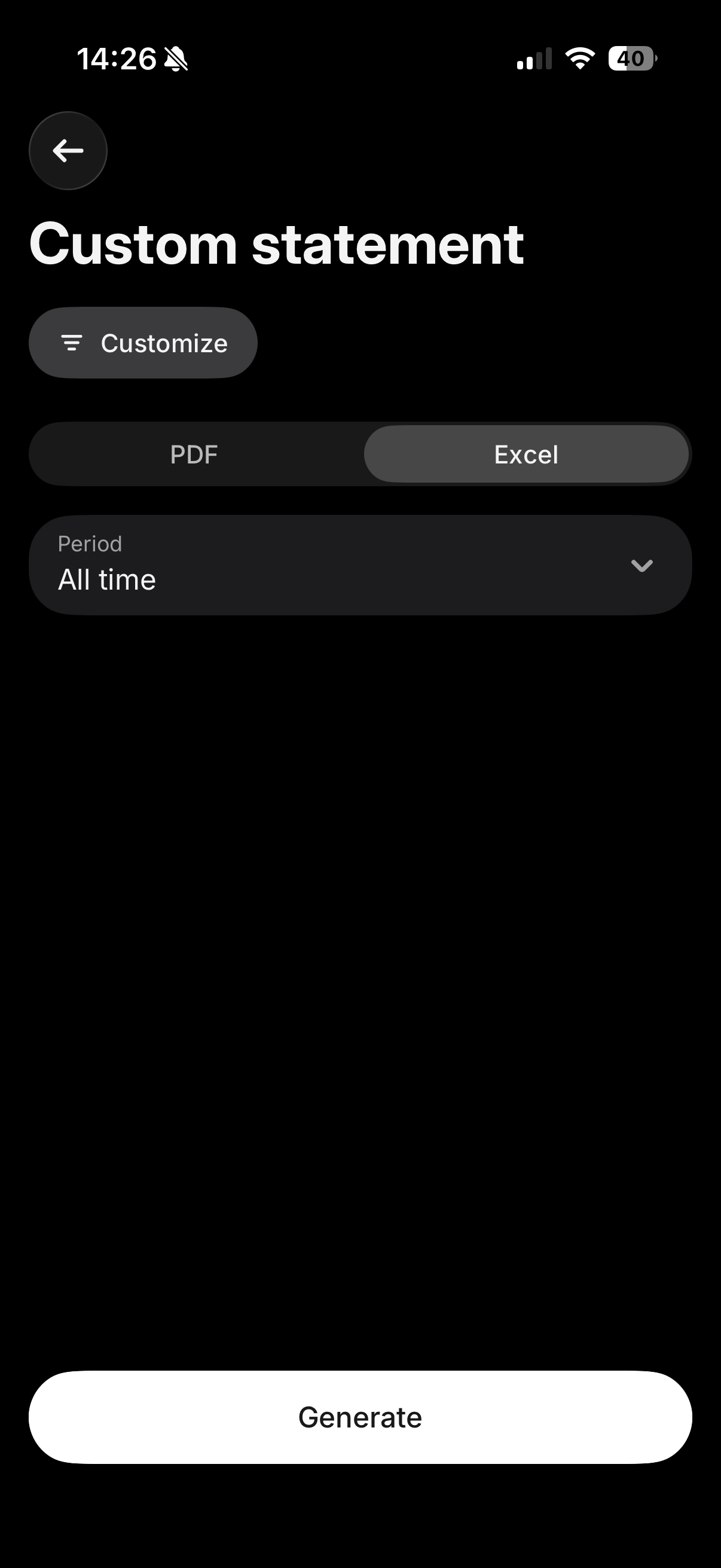
Tapnite "Customize" in preverite, da so izbrani vsi vaši pomembni računi (Invest, Crypto, Flexible Cash Funds, Robo-Advisor itd.), tako da bo vse vključeno v eno datoteko. Nato izberite zavihek "Excel", za obdobje pa izberite "All time" (ali "Custom", če potrebujete samo določeno davčno leto), da zagotovite, da je vključena vsa vaša zgodovina nakupov, kar je nujno za pravilen izračun nabavne vrednosti. Na koncu tapnite "Generate".
Kam naložiti to datoteko
Zavihek "Excel" prenese datoteko CSV. Naložite jo takšno, kot je bila prenesena, v polje "Konsolidiran izpisek računa (CSV)" na nadzorni plošči Tax-wizard - ne odpirajte in ne shranjujte je znova v Excelu.
Ostala polja za Revolut pustite prazna: konsolidiran izpisek že vsebuje Invest, Crypto, Flexible Cash Funds in Savings, zato je vsaka druga datoteka Revolut, naložena hkrati, prezrta, da ne pride do dvojnega štetja.
Če prilagojen izpisek ne zajema vseh računov, ki jih potrebujete, ali če raje izvozite vsak produkt posebej, lahko še vedno sledite posameznim korakom spodaj za Revolut Invest, Robo-Advisor, Crypto in Flexible Cash Funds.
Revolut Invest (Borzni račun)
V aplikaciji Revolut izberite zavihek "Invest". Nato odprite meni s klikom na tri pike, kjer boste našli možnost "Documents". Izberite "Brokerage Account".
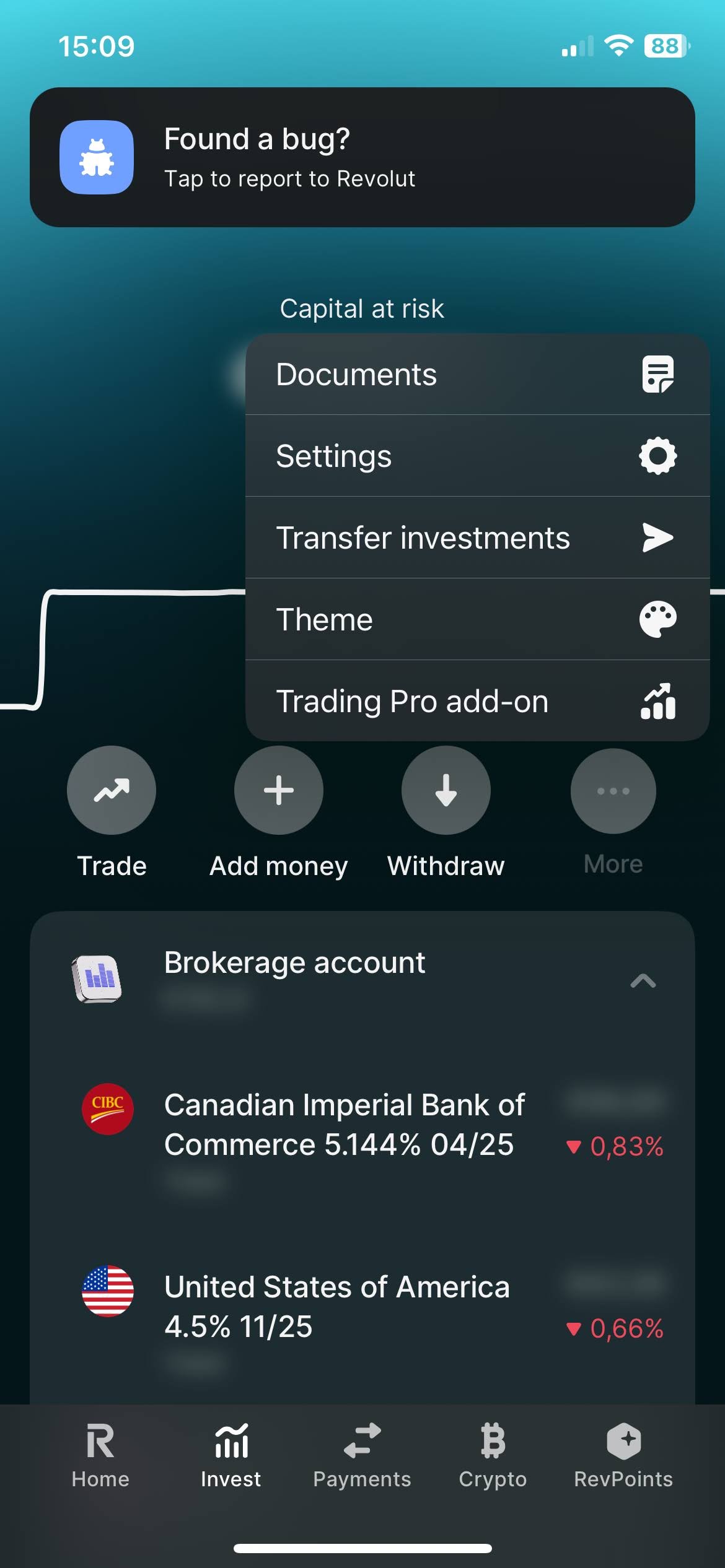
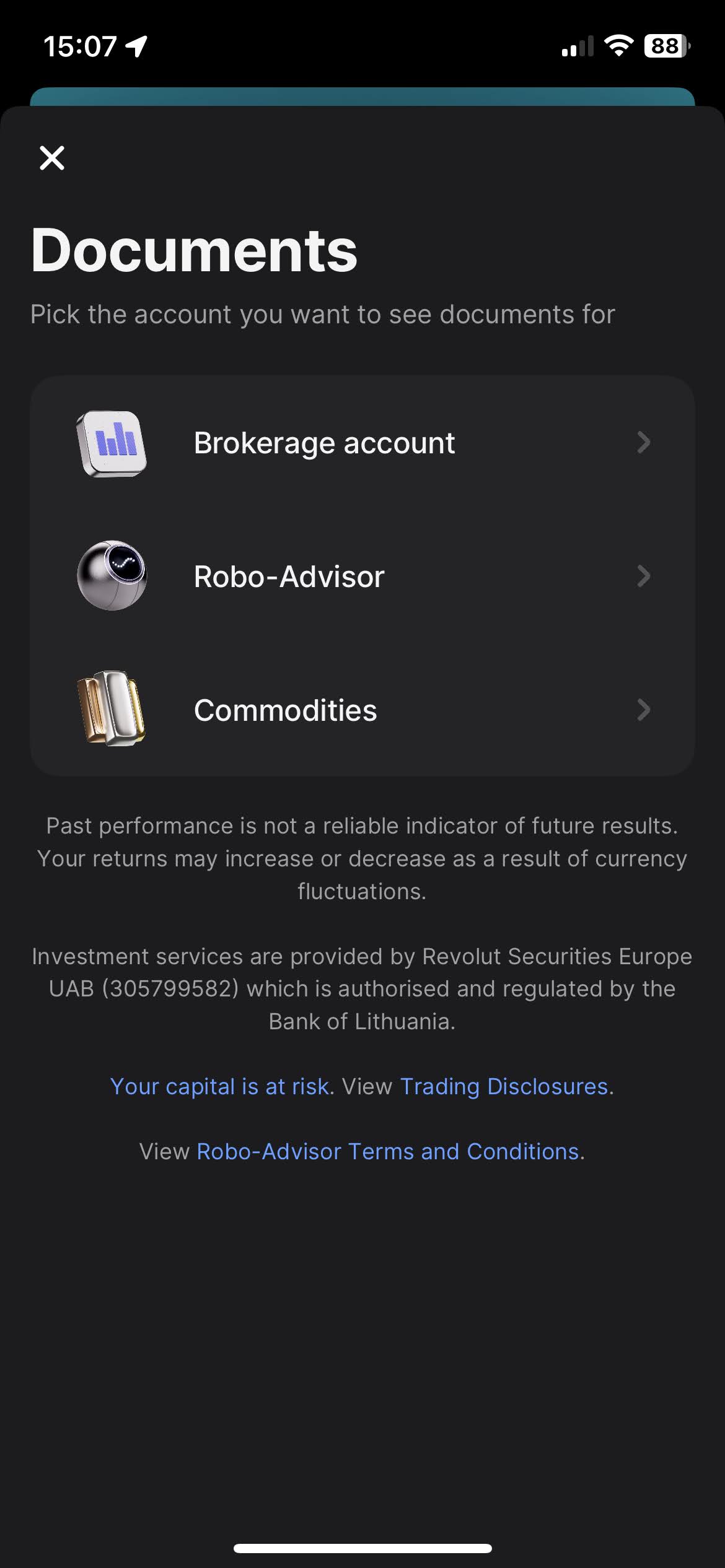
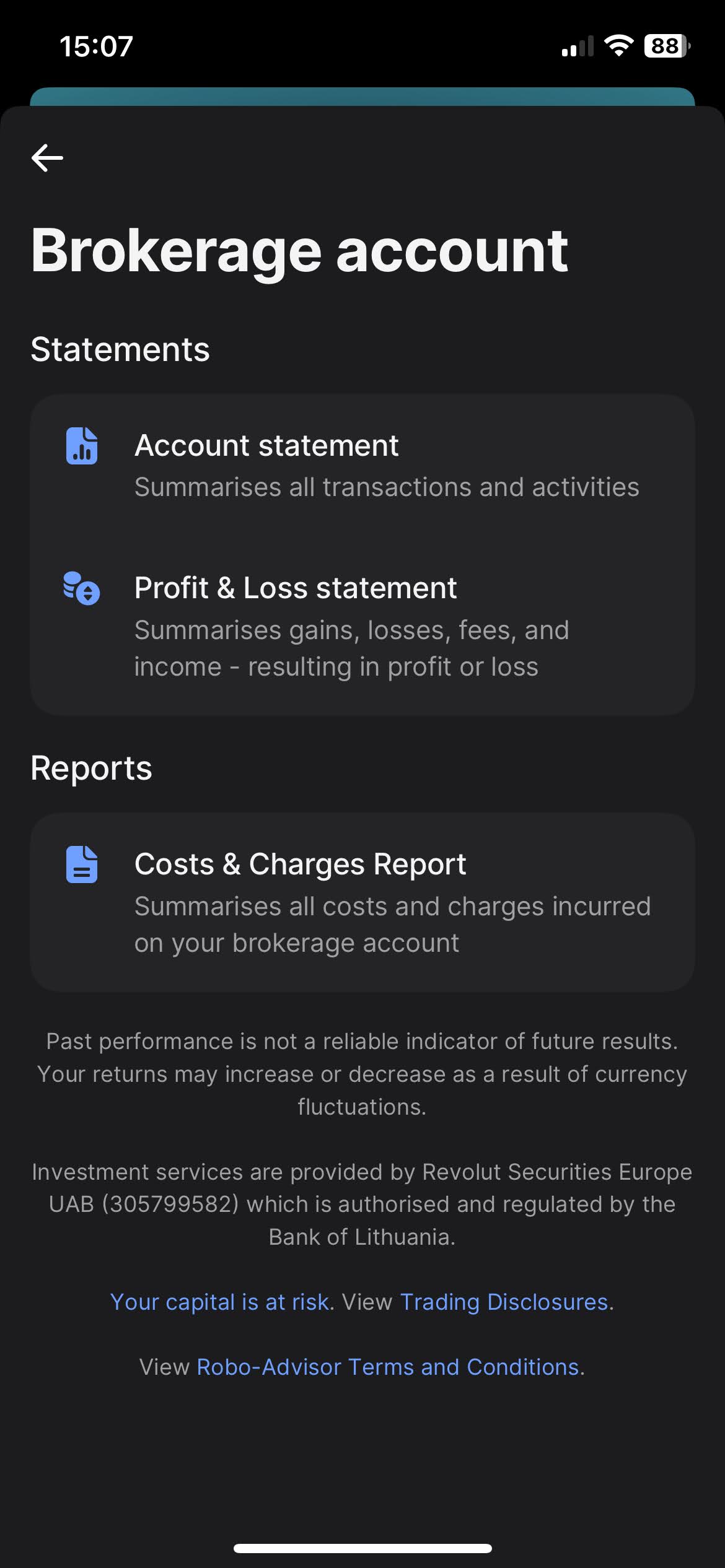
Ko kliknete na "Brokerage Account", boste našli možnost za prenos izpiskov. Revolut ponuja različne vrste izpiskov, kot so "Account Statement", "Profit & Loss Statements" in "Cost & Charges Report". Najbolj celovit izpisek, ki ga iščemo, je "Account Statement".
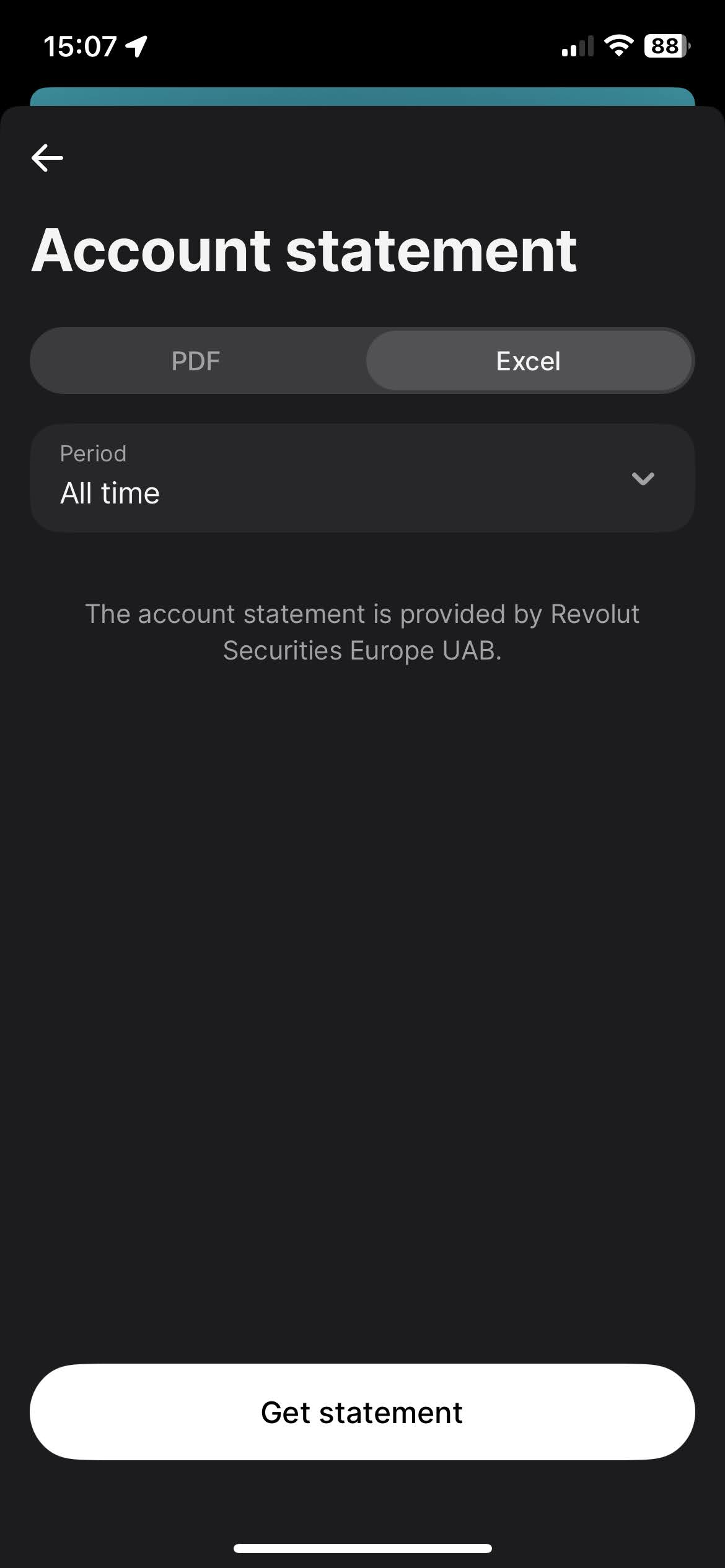
Za prenos Account Statement izberite zavihek "Excel", za obdobje izberite "All time", in kliknite gumb "Get statement".
Revolut Robo-Advisor
Postopek za Robo-Advisor je zelo podoben postopku za Revolut Invest (Borzni račun).
V aplikaciji Revolut izberite zavihek "Invest". Nato odprite meni s klikom
na tri pike, kjer boste našli možnost "Documents". Izberite "Robo-Advisor".
Ko kliknete na "Robo-Advisor", boste našli možnost za prenos izpiskov. Revolut ponuja različne vrste izpiskov, kot sta "Account Statement" in "Profit & Loss Statements". Najbolj celovit izpisek, ki ga iščemo, je "Account Statement".
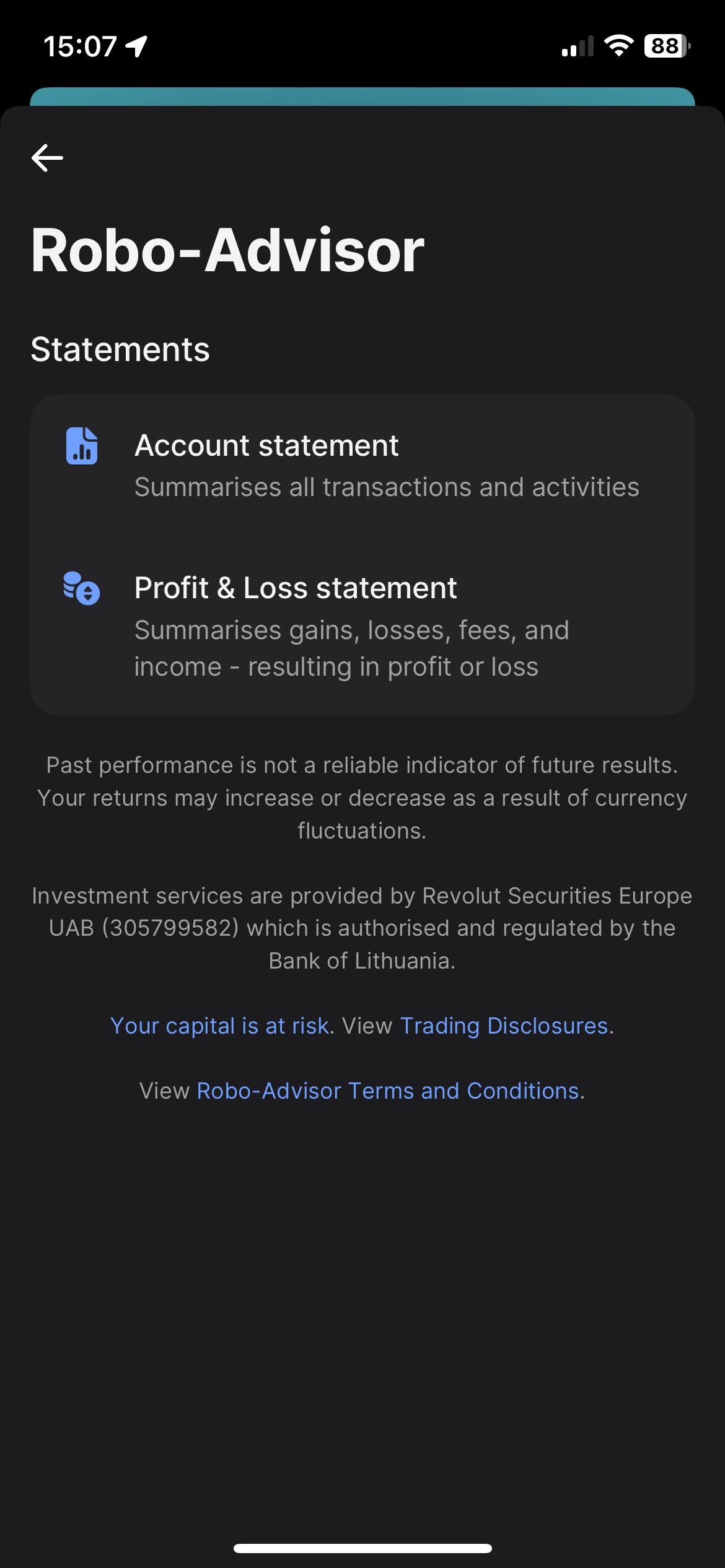
Za prenos Account Statement izberite zavihek "Excel", za obdobje izberite "All time", in kliknite gumb "Get statement".
Revolut Crypto
V aplikaciji Revolut izberite zavihek "Crypto". Nato odprite meni s klikom na tri pike, kjer boste našli možnost "Documents".
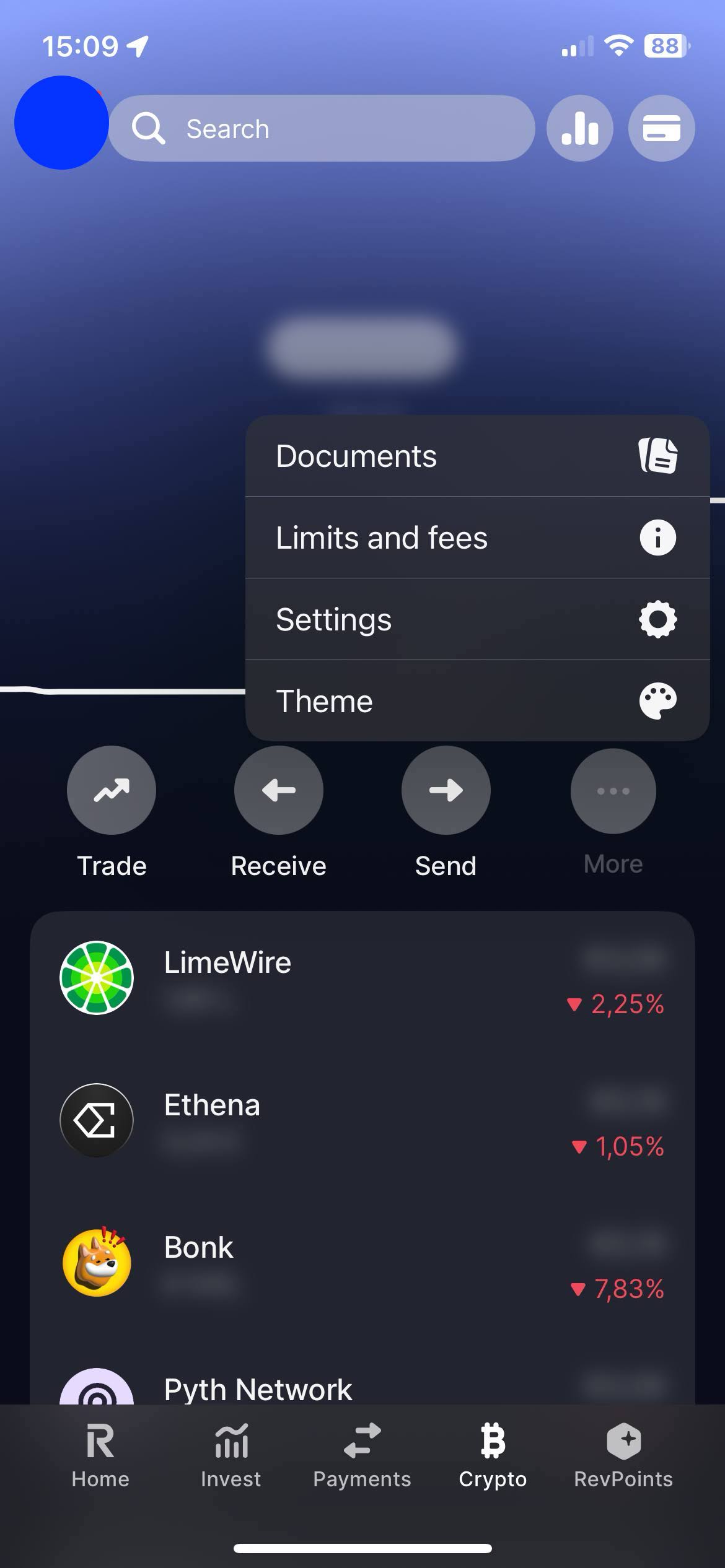
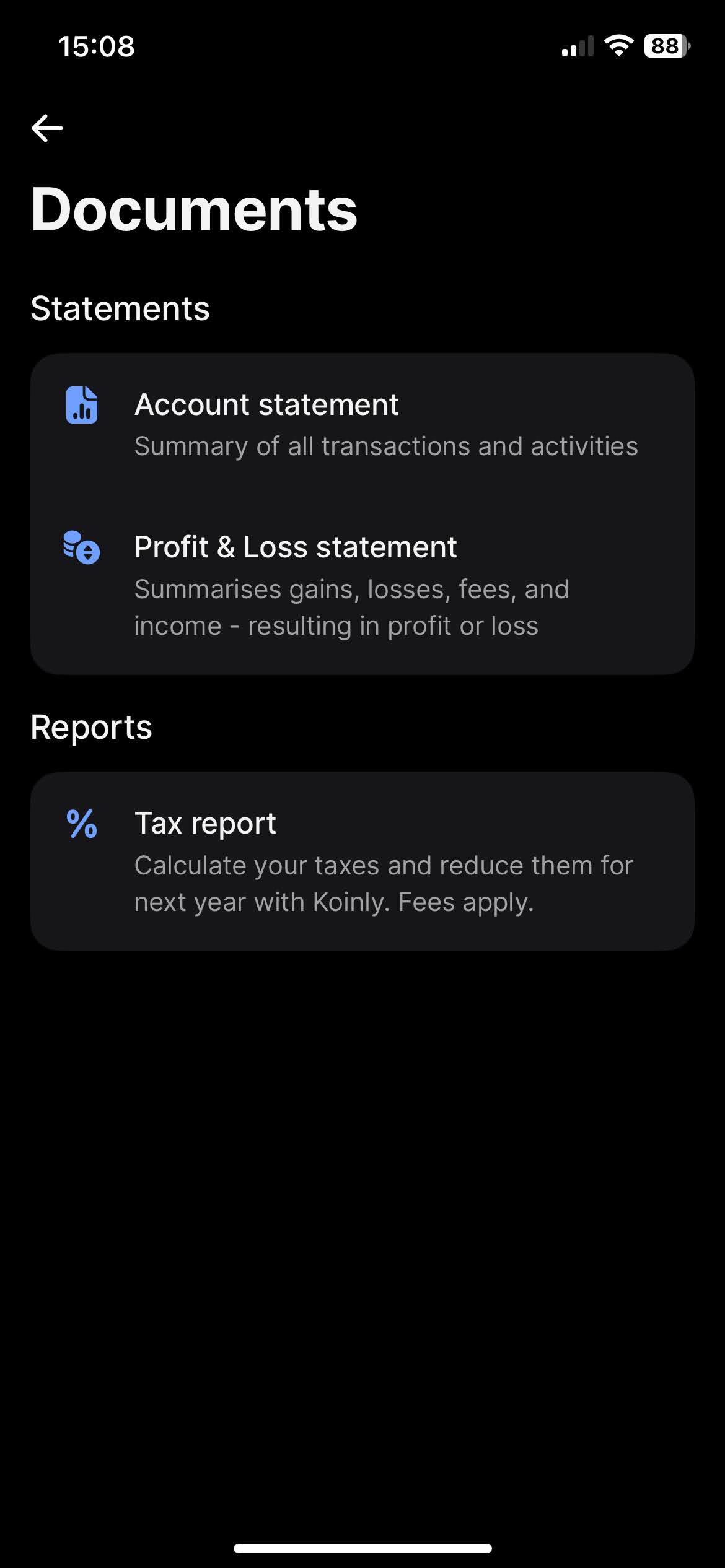
Ko kliknete na "Documents", boste našli možnost za prenos izpiskov. Revolut ponuja različne vrste izpiskov, kot sta "Account Statement" in "Profit & Loss Statements". Najbolj celovit izpisek, ki ga iščemo, je "Account Statement".
Za prenos "Account Statement" izberite zavihek "Excel", za obdobje izberite "All time", in kliknite gumb "Get statement".
Revolut Flexible Cash Funds
V aplikaciji Revolut na zavihku "Home" pomaknite se med svojimi računi, dokler ne najdete svojih "Flexible Cash Funds". Odprite meni s klikom na tri pike, kjer boste našli možnost "Statement".
Flexible Cash Funds lahko imate v več različnih valutah. Revolut omogoča generiranje izpiska, ki vsebuje vse različne Flexible Cash Funds. Za to na strani "Statement" kliknite na zgornji meni "Flexible Cash Funds" in izberite vse račune.
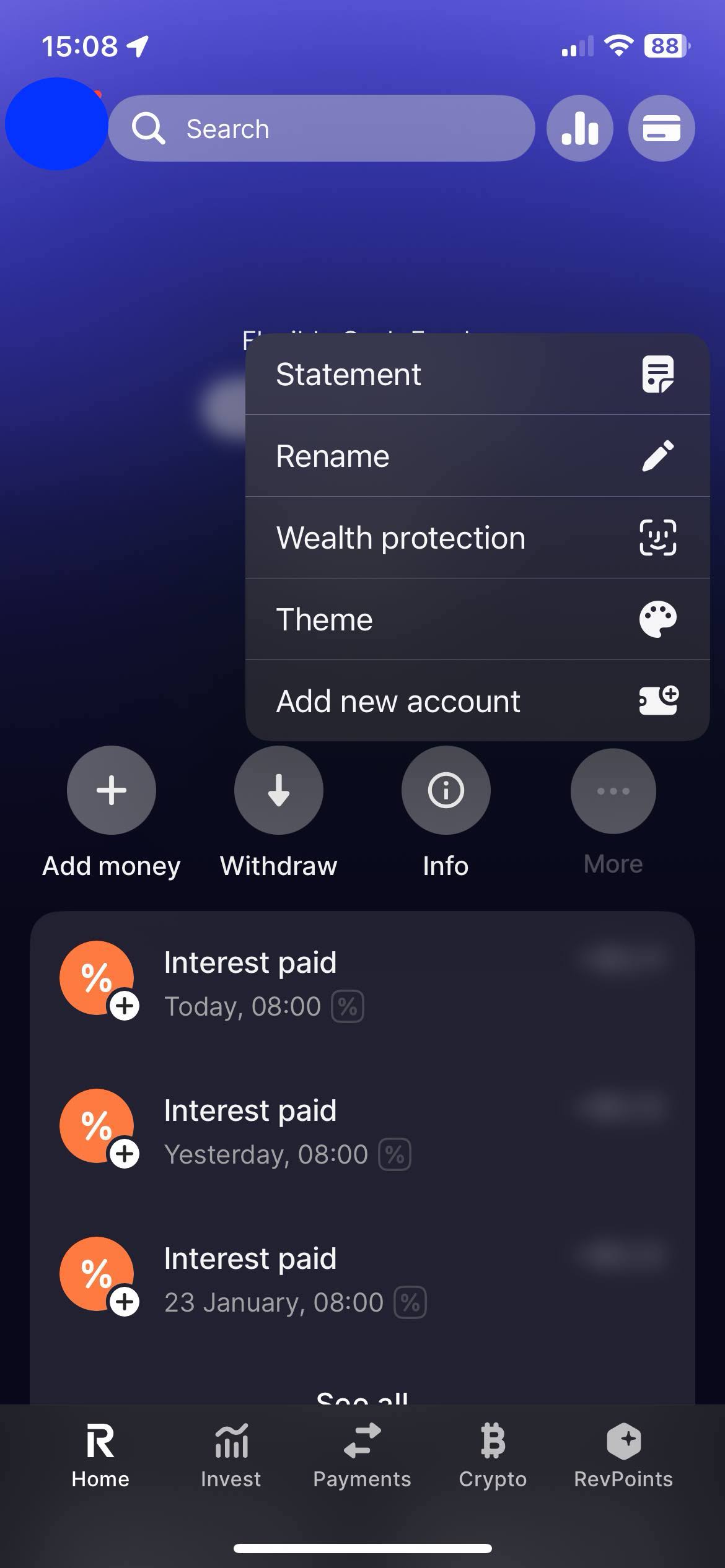
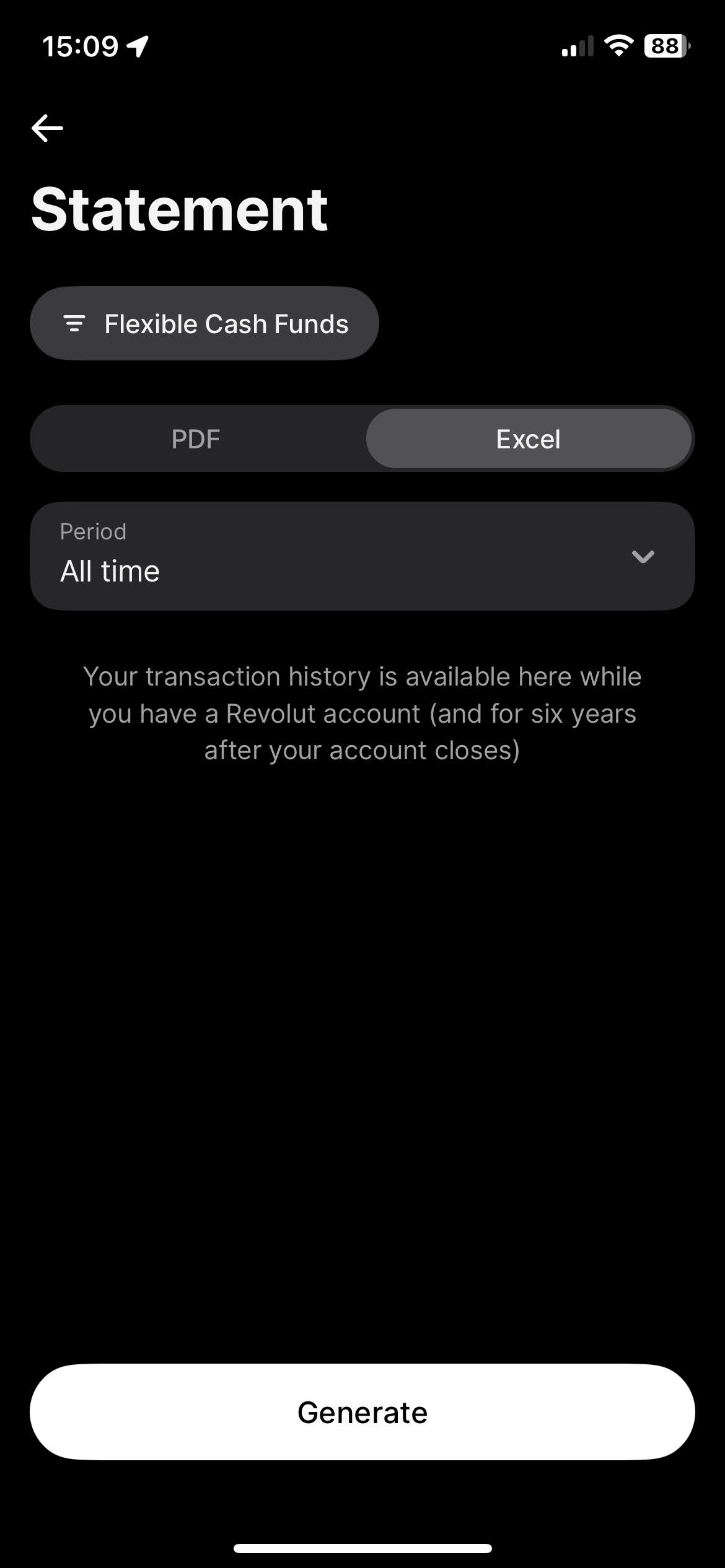
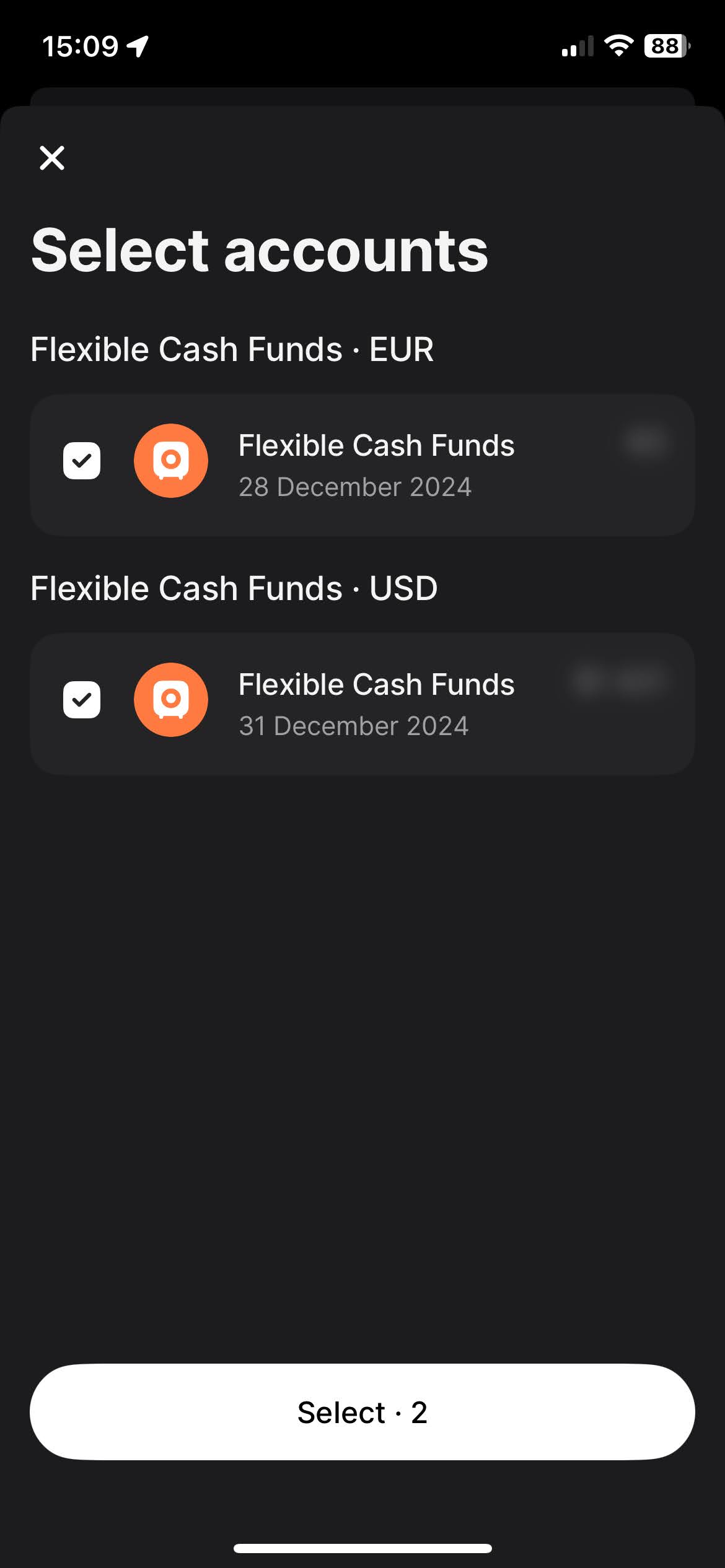
Za prenos "Account Statement" izberite zavihek "Excel", za obdobje izberite "All time", in kliknite gumb "Get statement".
Če sledite tem korakom, lahko zagotovite, da imate ustrezne datoteke, potrebne za uporabo
Tax-wizard.
Od tu jih lahko naložite v Tax-wizard in v nekaj minutah boste imeli pripravljeno svoje davčno
poročilo.
Kako prijavim naložbe pri Revolut v Sloveniji?
Revolut je tuji posrednik in ne odvede slovenskega davka namesto vas - napoved oddate sami prek eDavkov. Rok za oddajo je 28. februar za preteklo leto.
- Kapitalski dobički iz vrednostnih papirjev gredo na obrazec Doh-KDVP, dividende na Doh-Div, izvedeni finančni instrumenti pa na D-IFI.
- Ob nakupu in ob prodaji se prizna 1 % normiranih stroškov, ki zniža davčno osnovo.
- Zneske v tujih valutah je treba preračunati v evre po tečaju na dan posamezne transakcije.
- Za vsak vrednostni papir je treba navesti vsak posamezen nakup - tudi tiste iz prejšnjih let, saj je od datuma nakupa odvisna davčna stopnja.
Koliko znaša davek na kapitalski dobiček v Sloveniji?
Stopnja je odvisna od obdobja imetništva: 25 % do 5 let, 20 % od 5 do 10 let, 15 % od 10 do 15 let in 0 % po 15 letih imetništva. Izvedeni finančni instrumenti so od 1. januarja 2026 obdavčeni po enotni 25-odstotni stopnji, ne glede na obdobje imetništva (Uradni list RS 85/2025).
Dividende in obresti so obdavčene po 25 %. Obresti na depozite v Sloveniji in EU so oproščene do 1.000 EUR letno, tuji davek pa se prizna kot odbitek do višine slovenskega davka.
Kako so kriptovalute pri Revolut obdavčene v Sloveniji?
Predlagani 25-odstotni davek na odsvojitev kriptosredstev ni bil sprejet - decembra 2025 je bil umaknjen iz obravnave v Državnem zboru. Dobički fizičnih oseb iz kriptovalut zato ostajajo neobdavčeni, razen če gre za opravljanje dejavnosti (pogosto trgovanje, rudarjenje ali poslovna raba), kar presoja davčni organ. Ne glede na to je smiselno voditi evidenco vseh transakcij: pravila se lahko spremenijo, dokazno breme pa je na vas.
Za podrobnosti o obrazcih, prenosu izgube in oddaji prek eDavkov preberite celoten vodnik po obdavčitvi naložb v Sloveniji. S Tax-wizardom naložite zgoraj izvožene datoteke Revolut in v nekaj minutah dobite izračun ter XML za uvoz v eDavke.
Koliko je res vreden vaš čas?
Upoštevajte vrednost svojega časa in mir, ki ga prinaša zanesljivo in natančno orodje za davčno poročanje
(plačilo pokriva letošnjo oddajo za davčno leto 2025 in prejšnja leta, ročno podaljšanje prihodnje leto)
Premium
Vse funkcije za Revolut, Degiro, eToro, XTB, Trading212, Interactive Brokers, Freedom24, Lightyear, Trade Republic, Coinbase, Robinhood Crypto,...
- Podpora za vse posrednike in valute
- Samodejni izračun kapitalskih dobičkov
- Poročilo s pridobitvami, realizacijami, dividendami in obrestmi
- Poročilo o odprtih pozicijah in statistika
- Statistika transakcij in dividend
- Izvoz odprtih pozicij v Yahoo Finance
Poslovni
Vse premium funkcije za računovodje, finančne svetovalce, davčne svetovalce ali druge strokovnjake in podjetja, ki želijo uporabljati Tax-Wizard za več strank.
- Podpora za vse posrednike in valute
- Samodejni izračun kapitalskih dobičkov
- Poročilo s pridobitvami, realizacijami, dividendami in obrestmi
- Poročilo o odprtih pozicijah in statistika
- Statistika transakcij in dividend
- Izvoz odprtih pozicij v Yahoo Finance