- Home
- Unterstützte Broker
- Revolut
How to Fill Your Revolut Taxes in 2026
Easily calculate your Revolut investment taxes with Tax-Wizard. Automate your Revolut tax reporting and save time on your tax declaration.
Zuletzt aktualisiert: · Geprüft vom Tax-Wizard-Team · Offizielles Revolut Hilfe-Center ↗
This guide is designed to assist anyone who have investments on Revolut and is seeking clarity on how to pay taxes. The information provided here should be useful when calculating your Revolut taxes. However, it’s important to supplement this guide with the tax regulations specific to your country.
If you need to calculate taxes for your Revolut investments, either on their Brokerage Account, Crypto investments, Flexible Cash Funds, or Robo-Advisor, you’re in the right place! There are several ways to do this, such as calculating taxes manually in Excel, using an automated tax tool like Tax-wizard, or hiring a tax professional. Your choice will often depend on your budget and preferences.
How to export your Revolut history
- 1. Custom Statement (Recommended)
- 2. Revolut Invest (Brokerage Account)
- 3. Revolut Robo-Advisor
- 4. Revolut Crypto
- 5. Revolut Flexible Cash Funds
Start by Login on your Revolut mobile app.

Custom Statement (Recommended)
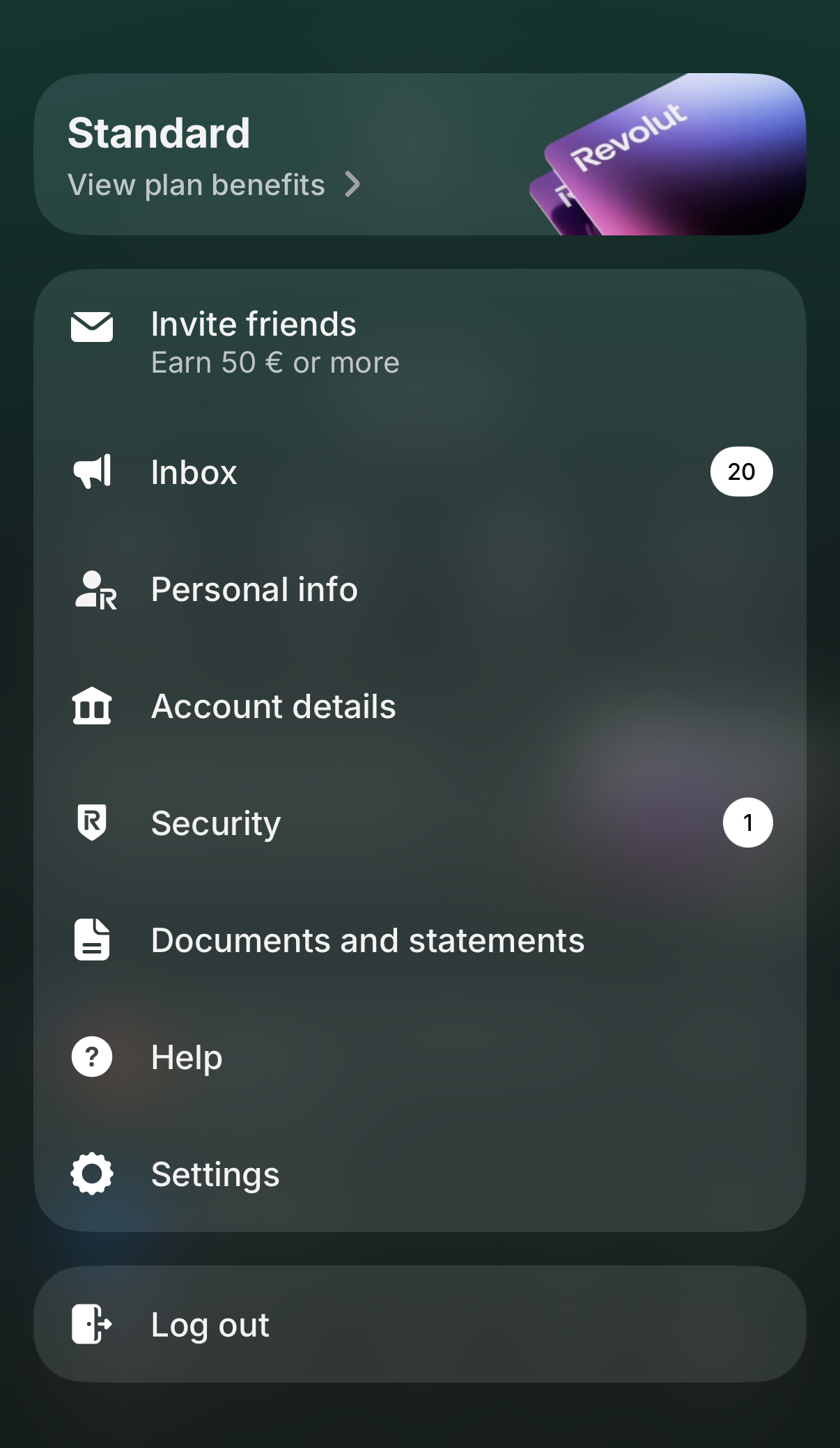
Revolut now lets you generate a single custom statement that can combine several of your accounts into one file. It's the fastest way to get everything Tax-wizard needs in a single download. Tap your profile picture in the top-left corner to open the menu, then select "Documents and statements".
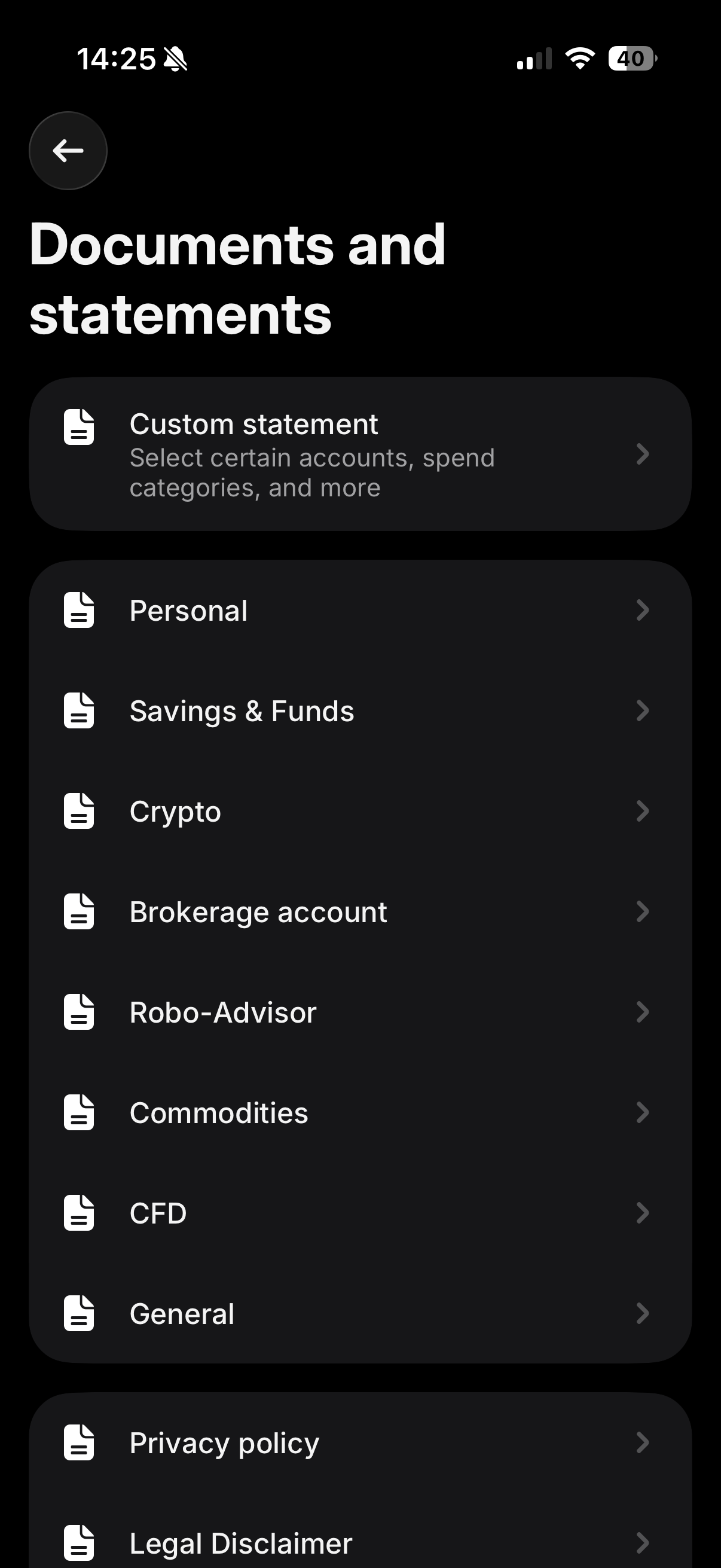
On the "Documents and statements" screen, tap "Custom statement" - it's the first option at the top, described as "Select certain accounts, spend categories, and more".
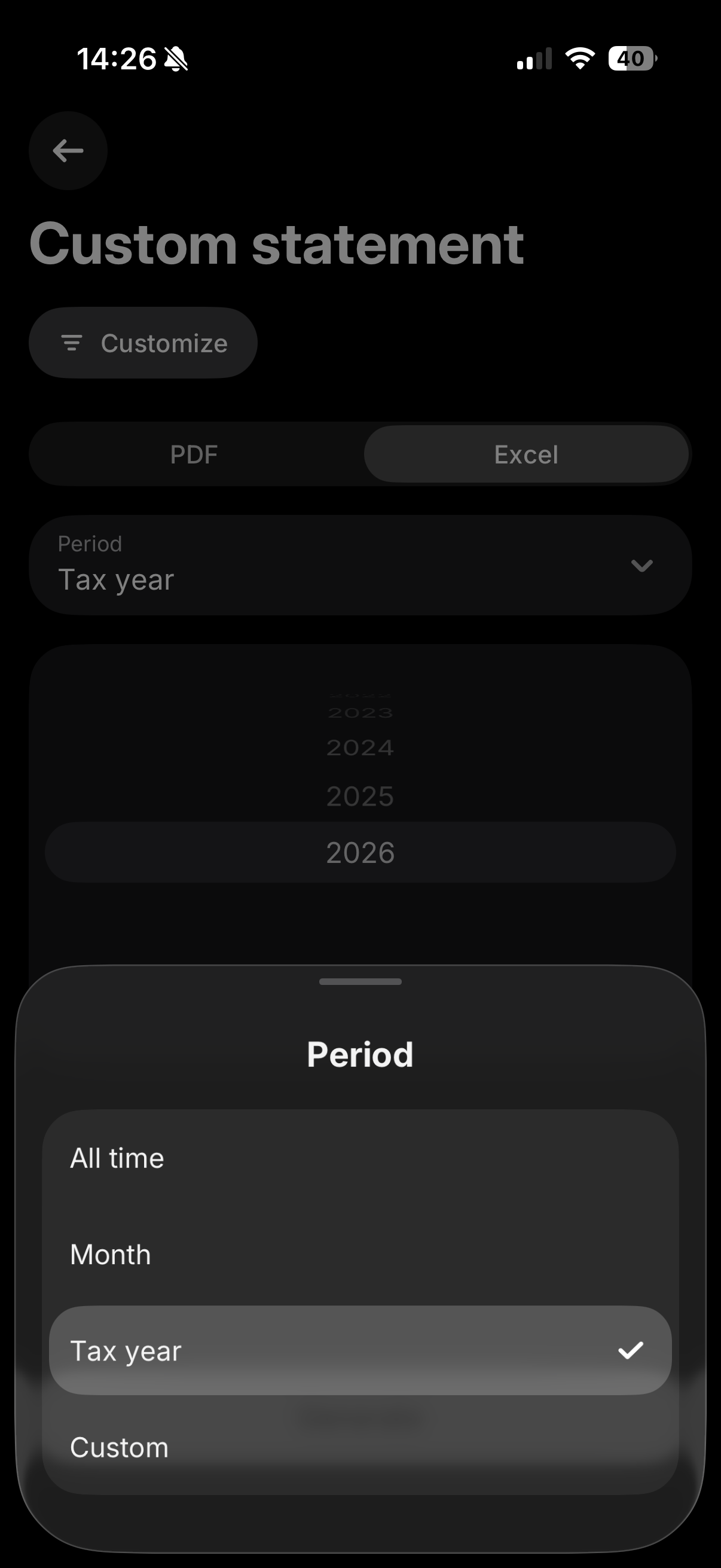
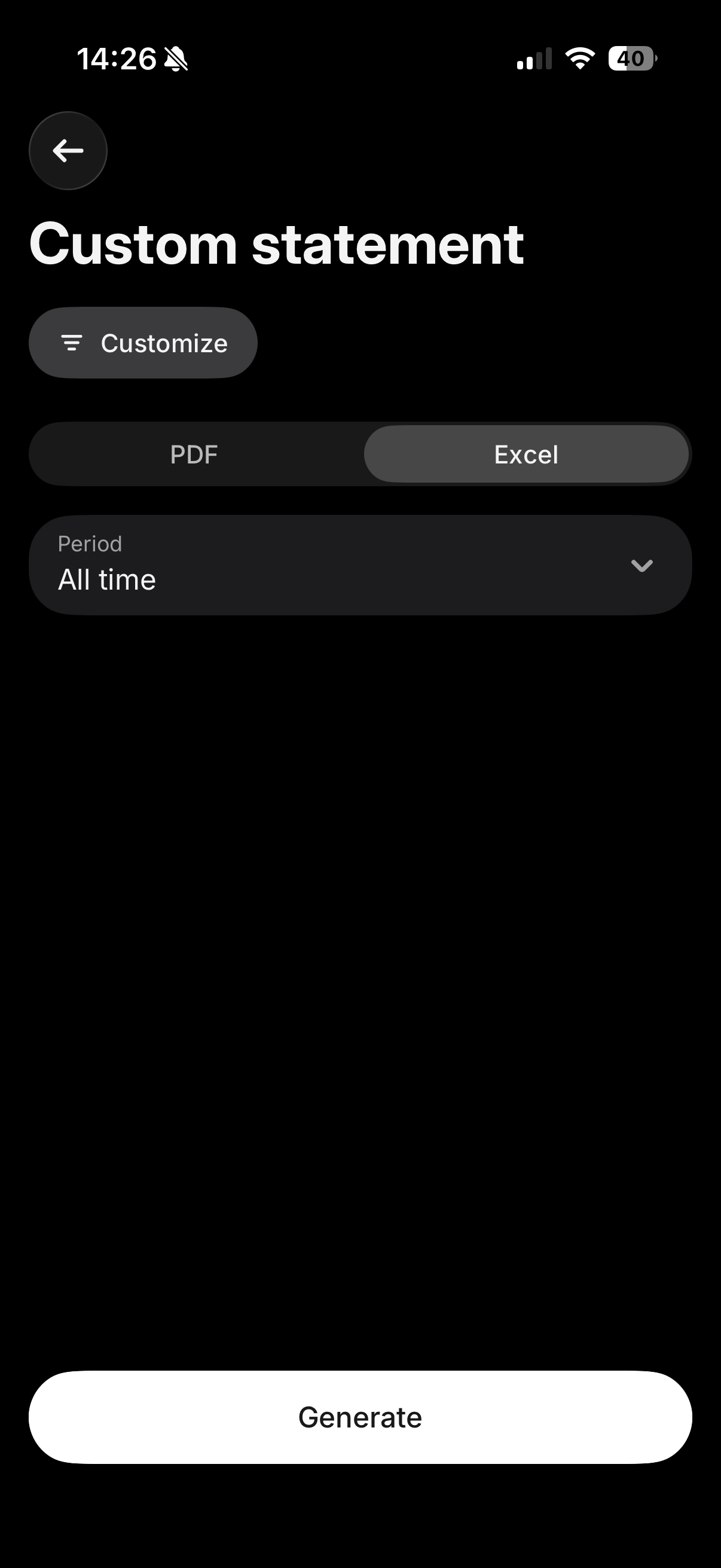
Tap "Customize" and make sure all your relevant accounts (Invest, Crypto, Flexible Cash Funds, Robo-Advisor, etc.) are selected, so everything is included in a single file. Then select the "Excel" tab, and for the period choose "All time" (or "Custom" if you only need a specific tax year) to make sure your full purchase history is included, which is required to calculate accurate cost basis. Finally, tap "Generate".
Where to upload this file
The "Excel" tab downloads a CSV file. Upload it exactly as downloaded, in the "Consolidated Account Statement (CSV)" box on the Tax-wizard dashboard - don't open and re-save it in Excel.
Leave the other Revolut boxes empty: the consolidated statement already covers Invest, Crypto, Flexible Cash Funds and Savings, so any other Revolut file uploaded alongside it is ignored to avoid double counting.
If the custom statement doesn't cover every account you need, or you'd rather export each product separately, you can still follow the individual steps below for Revolut Invest, Robo-Advisor, Crypto, and Flexible Cash Funds.
Revolut Invest (Brokerage Account)
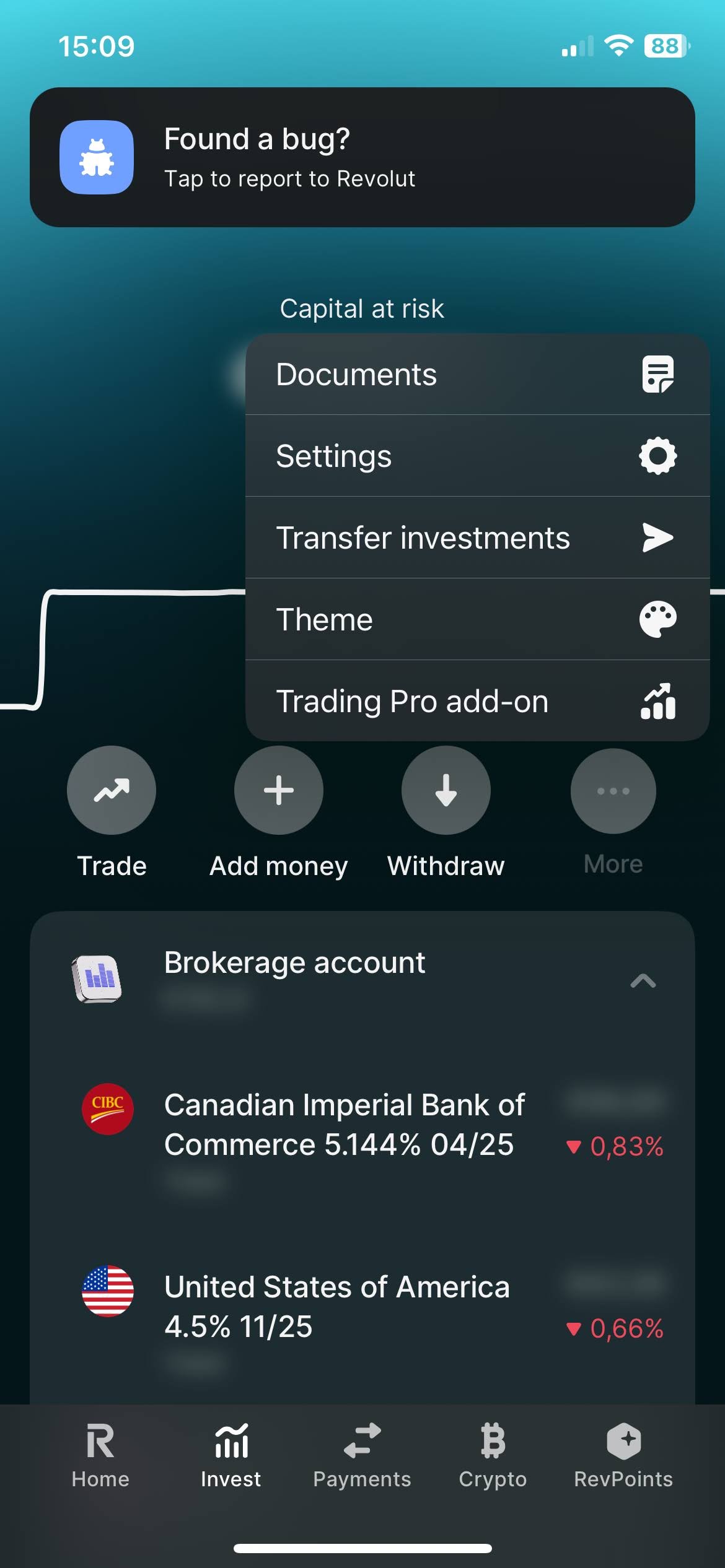
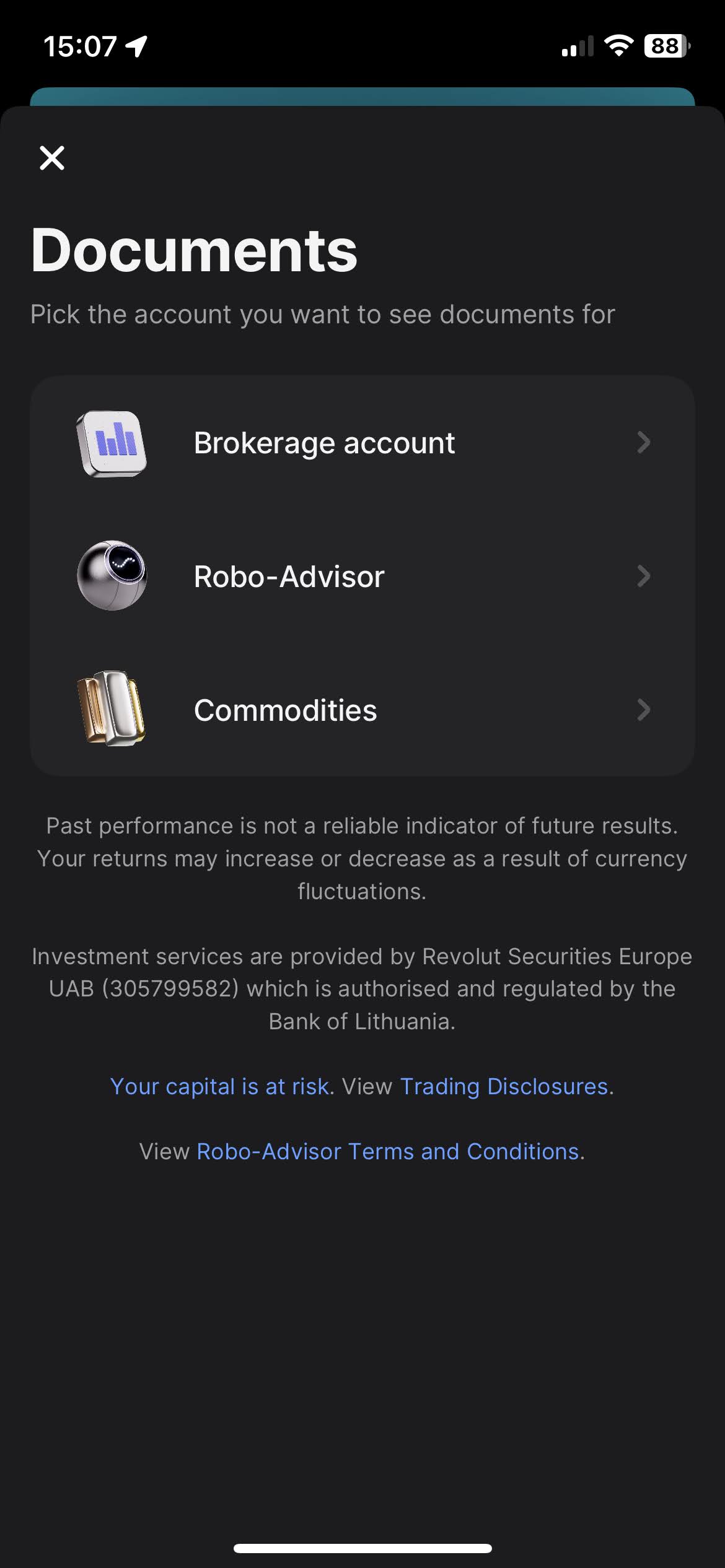
Select on your Revolut app the "Invest" tab. And open the menu by clicking on the three dots, there you'll find the "Documents" option. Select "Brokerage Account".
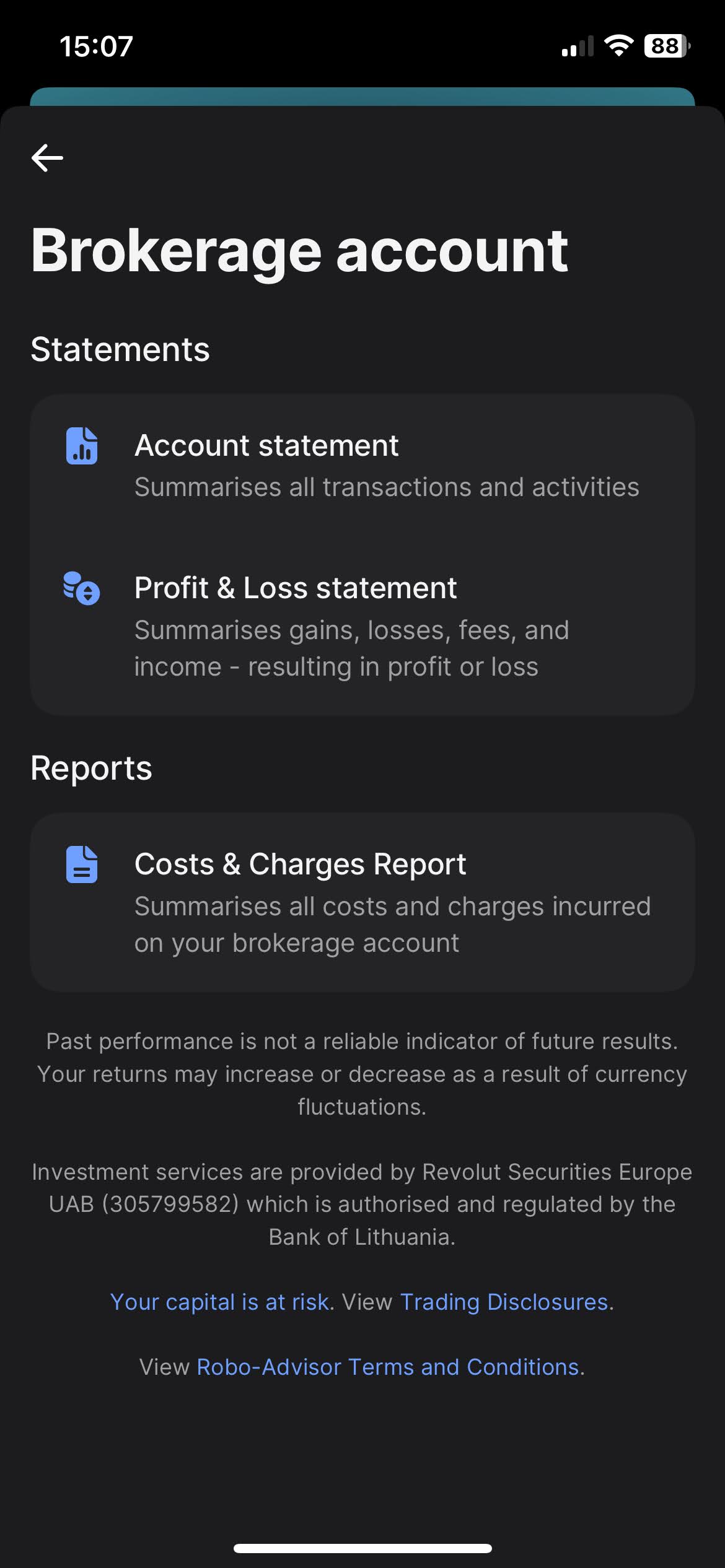
When you click on "Brokerage Account", you'll find the option to download your statements. Revolut offers a variety of types of statements, such as "Account Statement", "Profit & Loss Statements", and "Cost & Charges Report". The most complete one, and the one we're after is the "Account Statement".
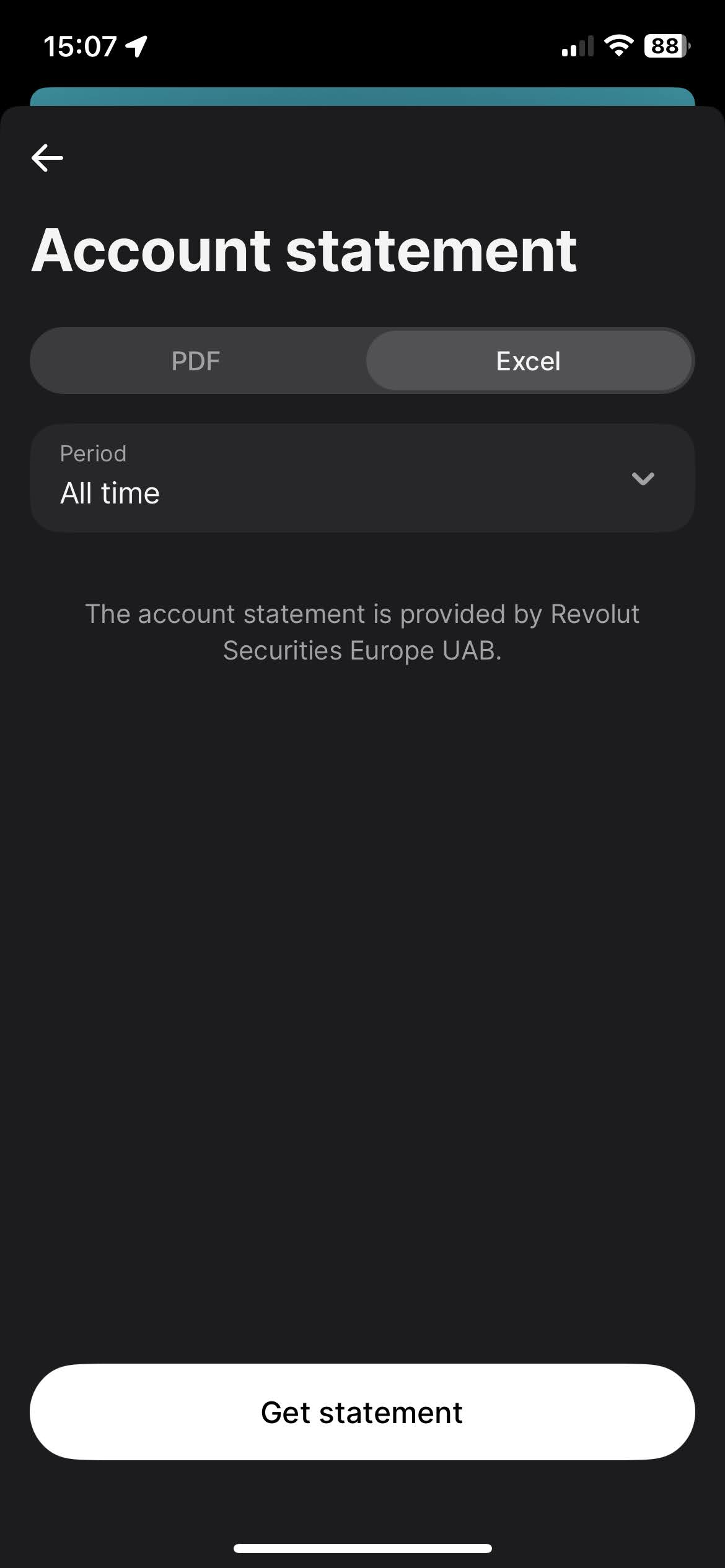
To download the Account Statement, select the "Excel" tab, for the period select "All time", and click on the "Get statement" button.
Revolut Robo-Advisor
The process for Robo-Advisor is very similar to the Revolut Invest (Brokerage Account).
Select on your Revolut app the "Invest" tab. And open the menu by clicking on
the
three dots, there you'll find the "Documents" option. Select "Robo-Advisor".
When you click on "Robo-Advisor", you'll find the option to download your statements. Revolut offers a variety of types of statements, such as "Account Statement" and "Profit & Loss Statements". The most complete one, and the one we're after is the "Account Statement".
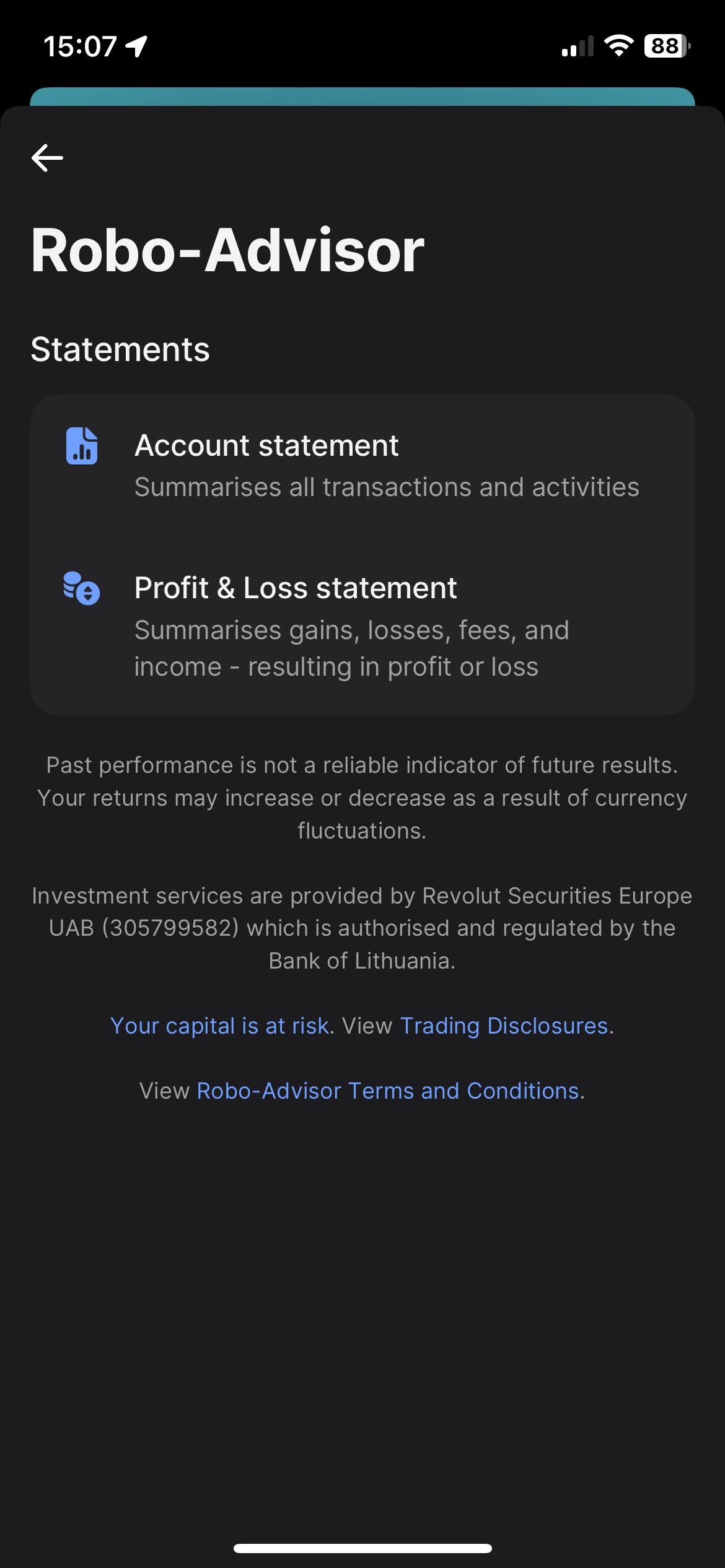
To download the Account Statement, select the "Excel" tab, for the period select "All time", and click on the "Get statement" button.
Revolut Crypto
Select on your Revolut app the "Crypto" tab. And open the menu by clicking on the three dots, there you'll find the "Documents" option.
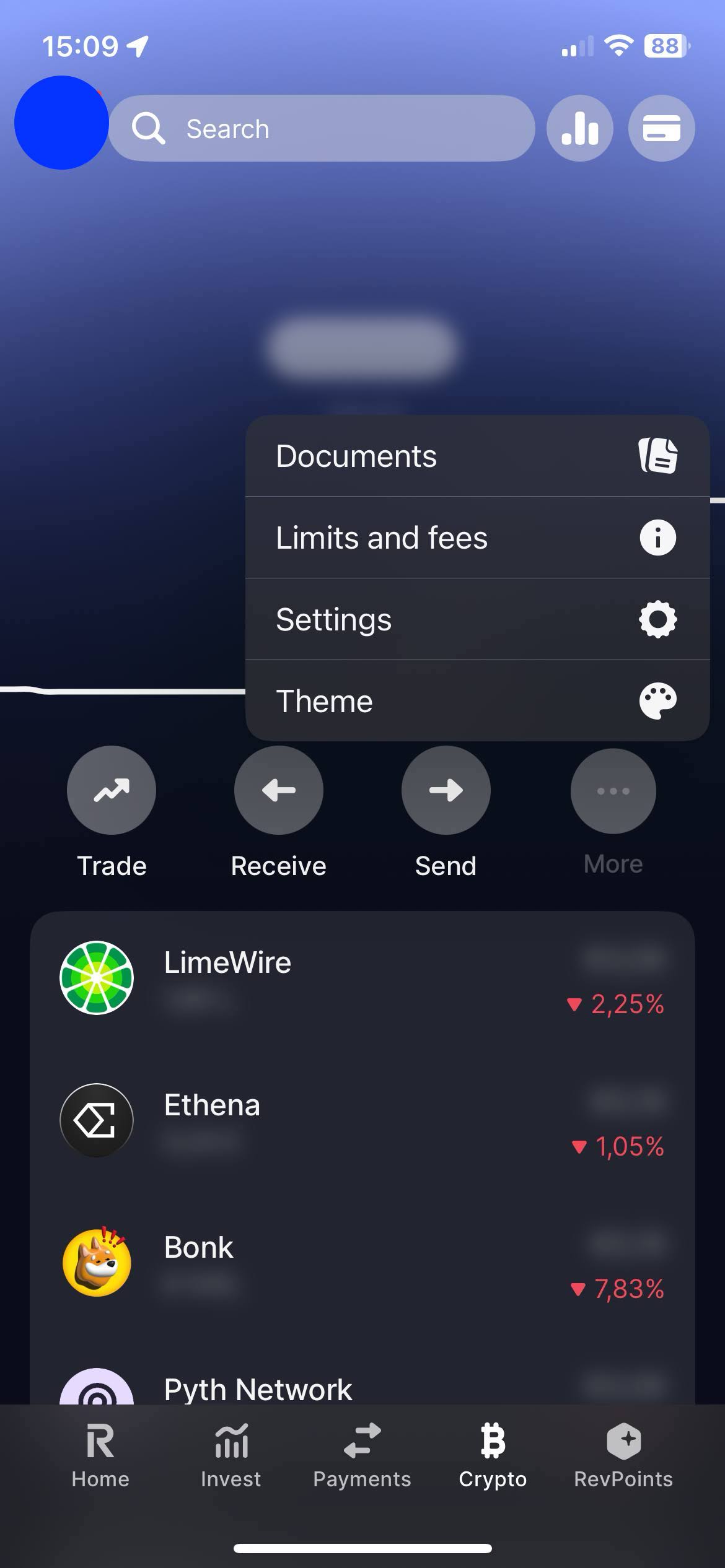
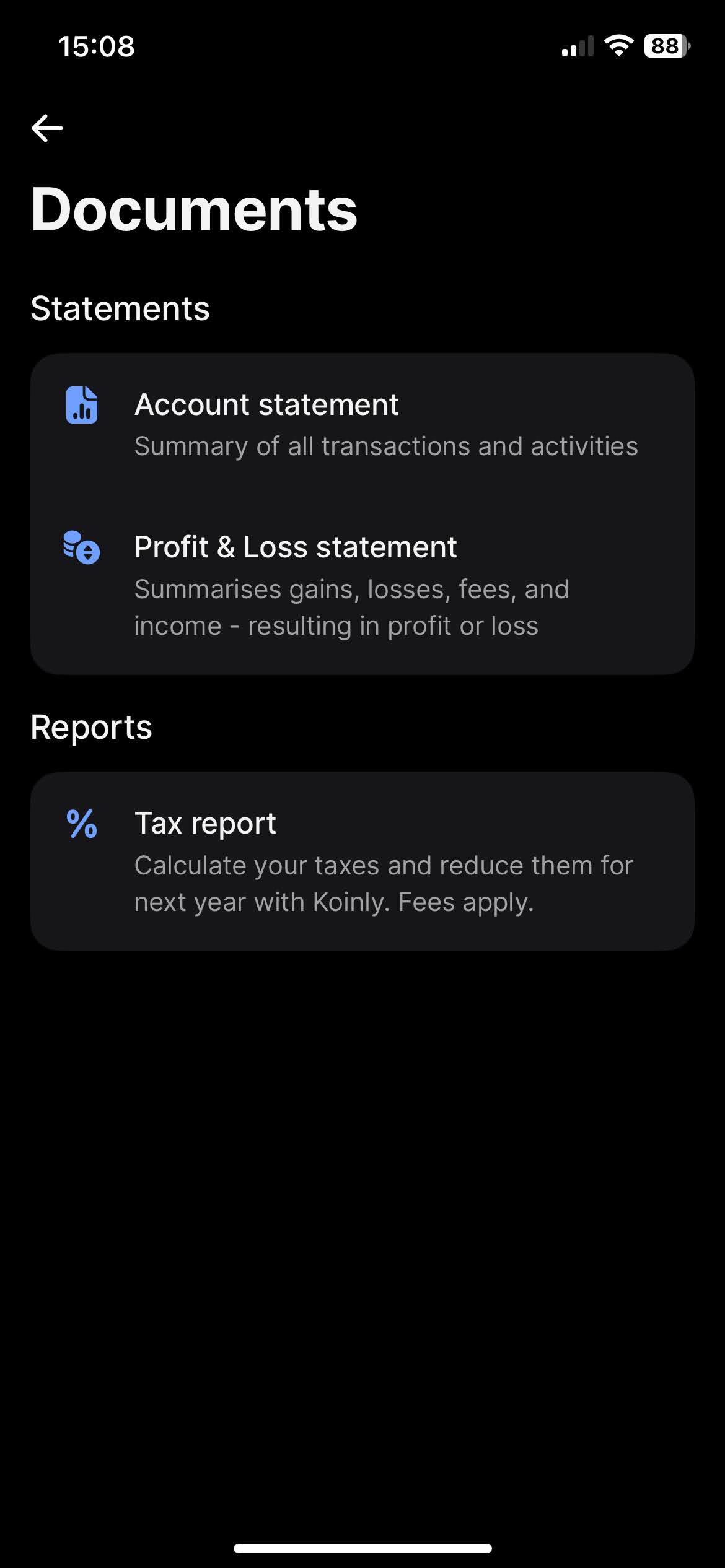
When you click on "Documents", you'll find the option to download your statements. Revolut offers a variety of types of statements, such as "Account Statement" and "Profit & Loss Statements". The most complete one, and the one we're after is the "Account Statement".
To download the "Account Statement", select the "Excel" tab, for the period select "All time", and click on the "Get statement" button.
Revolut Flexible Cash Funds
On your Revolut app on the "Home" tab slide your accounts until you find your "Flexible Cash Funds". Open the menu by clicking on the three dots, there you'll find the "Statement" option.
It is possible to have Flexible Cash Funds in different currencies. Revolut has the option to generate a statement containing all different Flexible Cash Funds. For that on the "Statement" page click on the top menu "Flexible Cash Funds" and select all accounts.
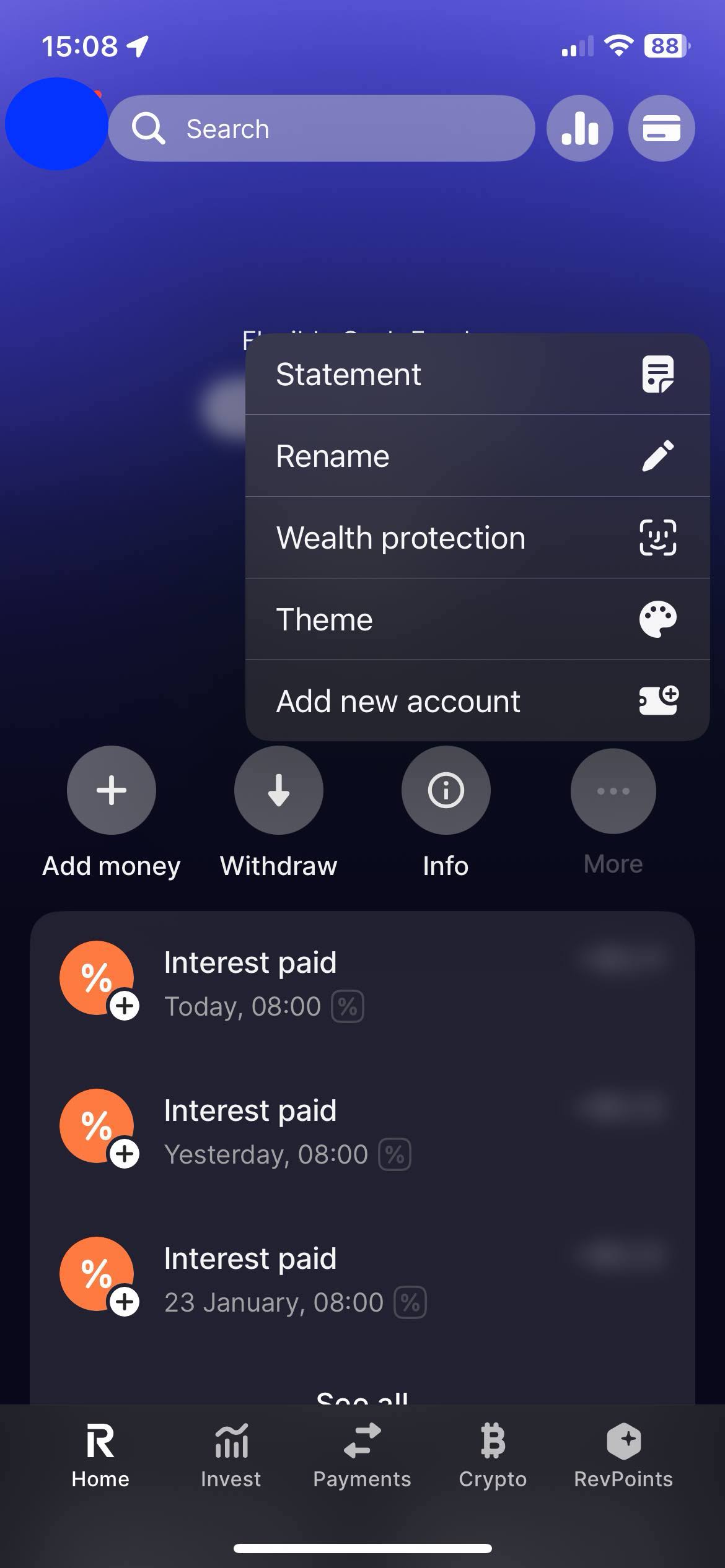
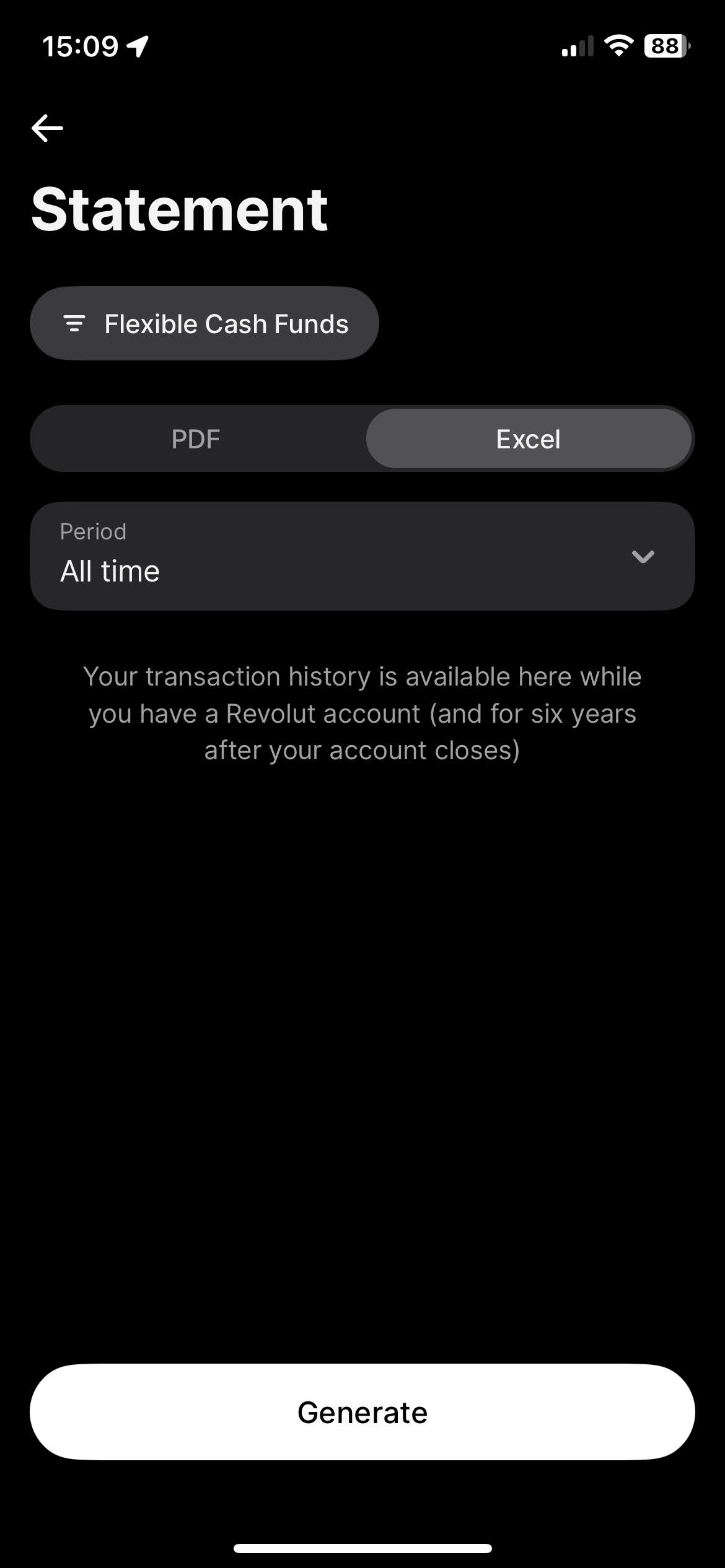
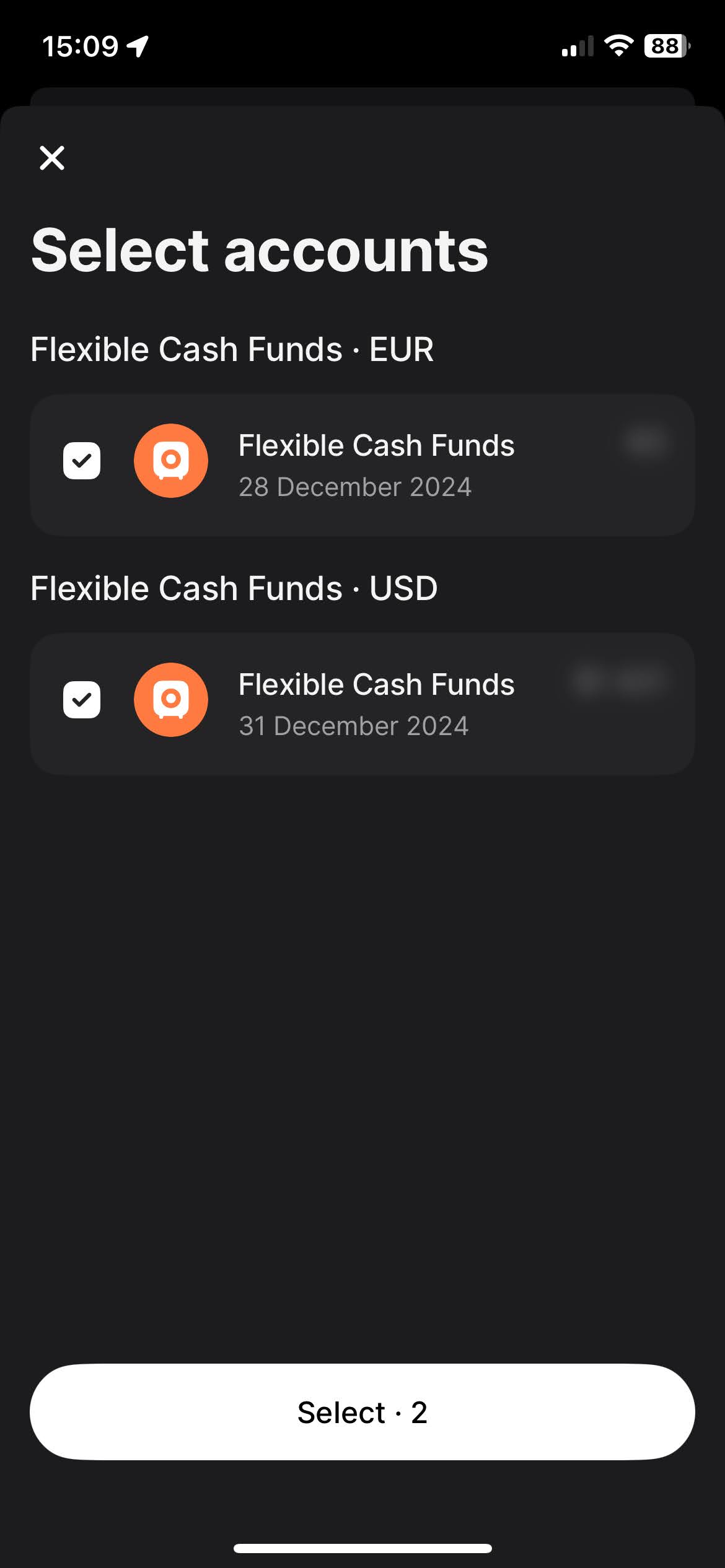
To download the "Account Statement", select the "Excel" tab, for the period select "All time", and click on the "Get statement" button.
By following these steps, you can ensure you have the correct files needed to use with Tax-wizard.
From here you can upload them to Tax-wizard and have your tax report ready in minutes.
Was ist Ihre Zeit wirklich wert?
Bedenken Sie den Wert Ihrer Zeit und die Sicherheit, die ein zuverlässiges und präzises Werkzeug für Ihre Steuererklärung bietet
(die Zahlung deckt die diesjährige Erklärung für 2025 und frühere Jahre ab, im nächsten Jahr ist eine manuelle Verlängerung nötig)
Premium
Alle Funktionen für Revolut, Degiro, eToro, XTB, Trading212, Interactive Brokers, Freedom24, Lightyear, Trade Republic, Coinbase, Robinhood Crypto, ...
- Unterstützung aller Broker und Währungen
- Automatische Berechnung der Veräußerungsgewinne
- Report mit Anschaffungen, Veräußerungen, Dividenden und Zinsen
- Report und Auswertungen zu offenen Positionen
- Auswertungen zu Transaktionen und Dividenden
- Export offener Positionen nach Yahoo Finance
Business
Alle Premium-Funktionen - für Buchhalter, Finanzberater, Steuerberater sowie andere Fachleute und Unternehmen, die Tax-Wizard für mehrere Mandanten nutzen möchten.
- Unterstützung aller Broker und Währungen
- Automatische Berechnung der Veräußerungsgewinne
- Report mit Anschaffungen, Veräußerungen, Dividenden und Zinsen
- Report und Auswertungen zu offenen Positionen
- Auswertungen zu Transaktionen und Dividenden
- Export offener Positionen nach Yahoo Finance