- Home
- Supported Brokers
- Strike
How to Fill Your Strike Bitcoin Taxes in 2026
Calculate your Strike Bitcoin taxes easily with Tax-Wizard. Export your Strike annual transactions statement and automate your 2026 tax declaration.
Last updated: · Reviewed by the Tax-Wizard team · Official Strike help centre ↗
This guide is designed to assist anyone who buys Bitcoin on Strike and is seeking clarity on how to pay taxes. The information provided here should be useful when calculating your Strike taxes. However, it's important to supplement this guide with the tax regulations specific to your country.
If you need to calculate taxes for your Strike Bitcoin, you're in the right place! There are several ways to do this, such as calculating taxes manually in Excel, using an automated tax tool like Tax-wizard, or hiring a tax professional. Your choice will often depend on your budget and preferences.
How to export your Strike history
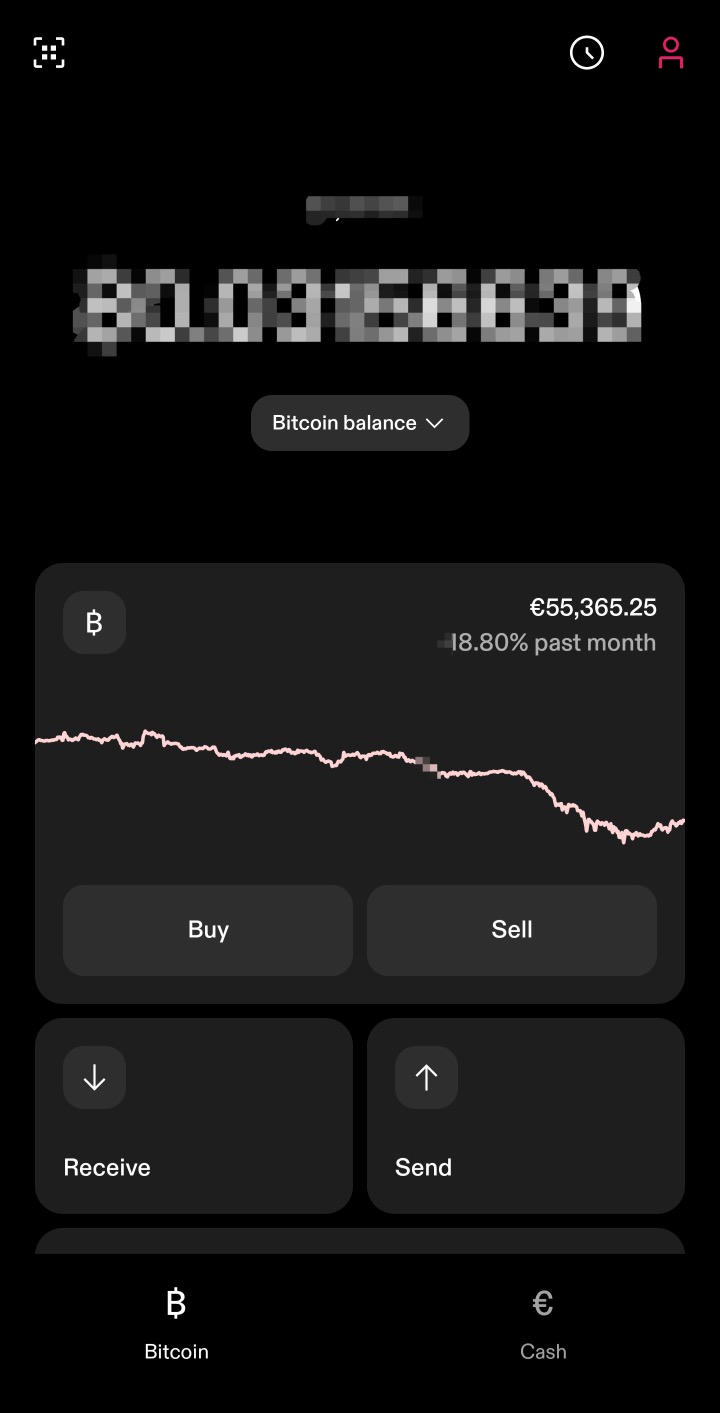
Start by opening the Strike app and tapping the account icon in the top-right corner of the main screen.
Scroll down to the "Account" section and select "Documents".
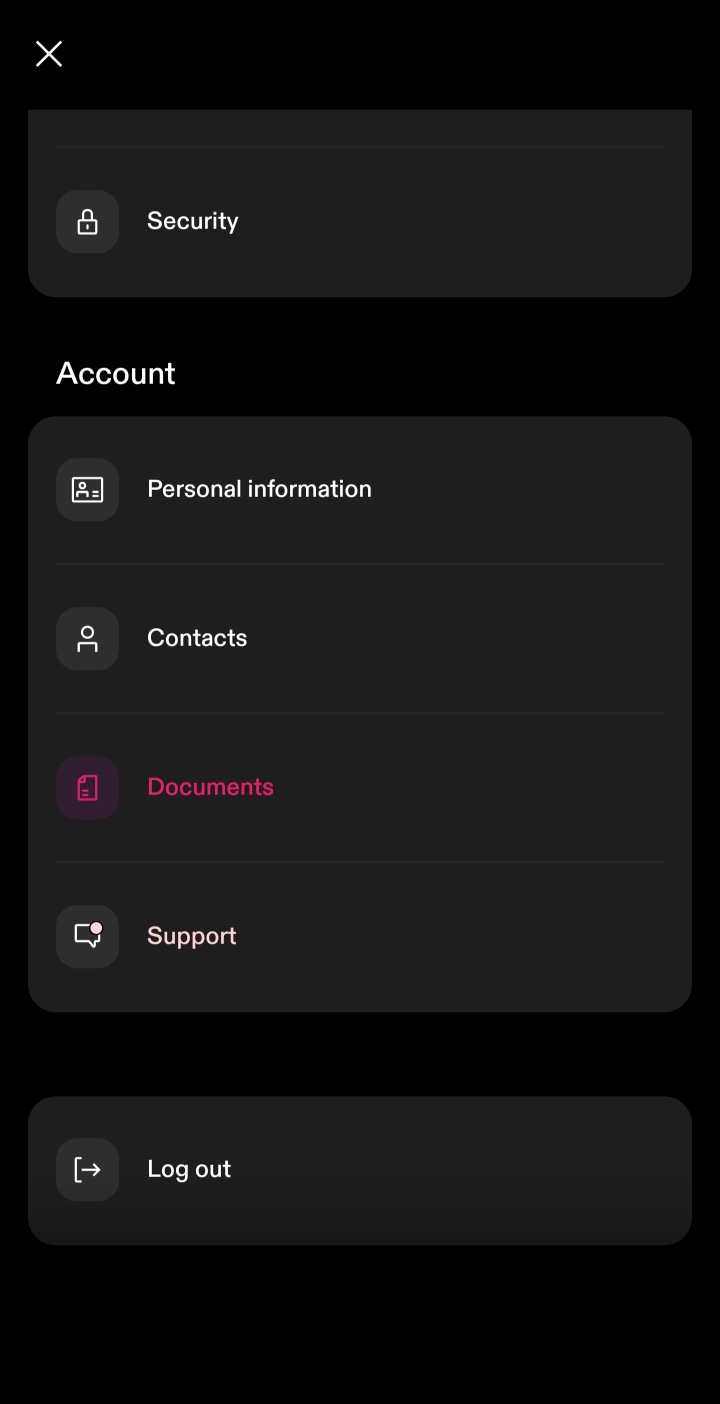
Under Documents, choose "Account statements".

Strike groups statements by year. Under each year you need to report, tap "Annual transactions" and download the CSV file. Download one file for every year your account was open - not just the tax year you are filing - so your full purchase history is included, which is required to calculate accurate cost basis.
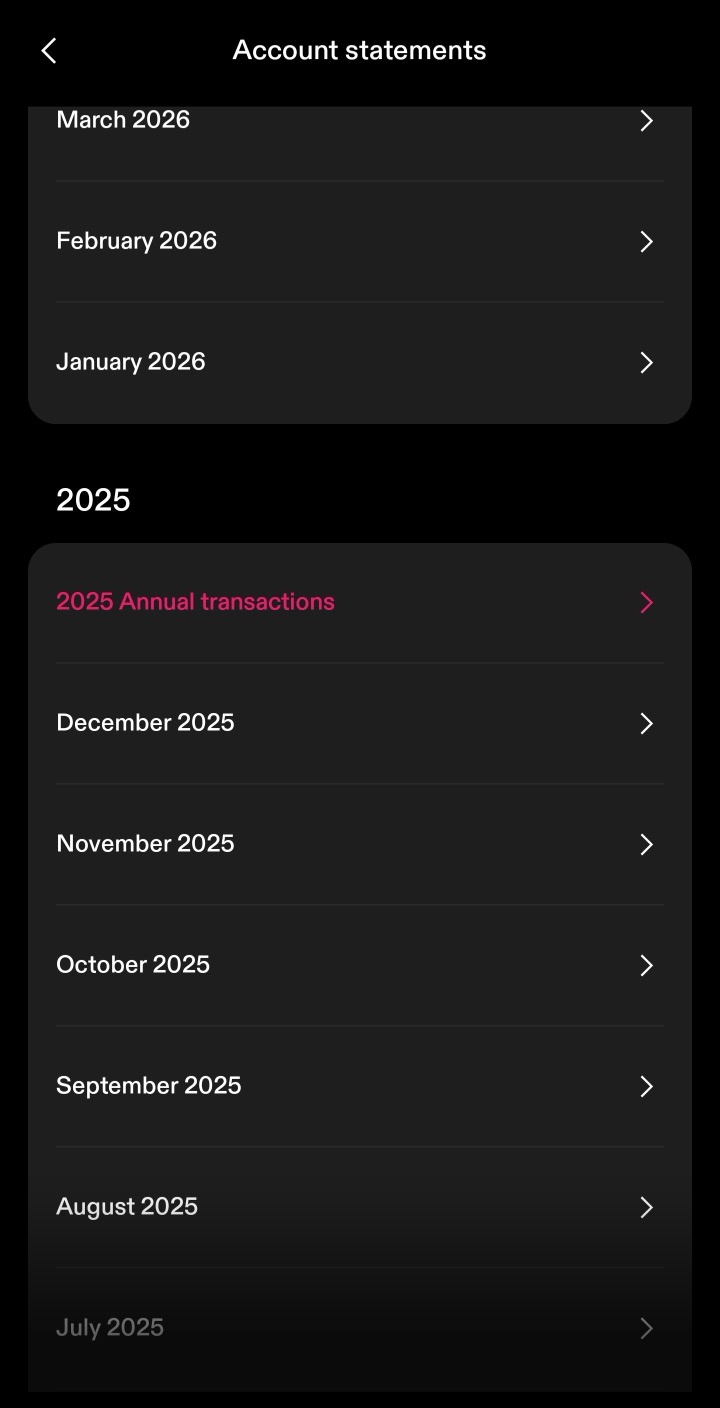
By following these steps, you can ensure you have the correct files needed to use with Tax-wizard.
From here you can upload every year at once to Tax-wizard and have your tax report ready in minutes.
Frequently Asked Questions
Which Strike file should I download - the monthly statement or Annual transactions?
Download "Annual transactions" in CSV format, one file per year your account was open. That's the file Tax-wizard's Strike parser reads: it contains every purchase, sale, Bitcoin transfer and reward for the year. The monthly statements are summaries and aren't supported.
What about Bitcoin I sent to or received from an external wallet?
"Send" and "Receive" rows are transfers to and from external wallets and aren't taxable events - Tax-wizard treats them as deposits and withdrawals, not sales. If you bought that Bitcoin on another platform, upload that platform's files too so the cost basis is complete.
Why might Tax-wizard's numbers differ from Strike's own figures?
A few reasons: Tax-wizard lets you choose the cost-basis method (FIFO, LIFO, or average cost), while Strike's own "Cost Basis" column may use a different convention. Tax-wizard also converts non-EUR amounts using official European Central Bank exchange rates, which can differ slightly from the rates Strike applies.
How much is your time really worth?
Consider the value of your time and the peace of mind that comes with having a reliable and accurate tool to handle your tax reporting
(payment covers this year's filing for 2025 and prior years, manual renewal next year)
Premium
All features, for Revolut, Degiro, eToro, XTB, Trading212, Interactive Brokers, Freedom24, Lightyear, Trade Republic, Coinbase, Robinhood Crypto,...
- Support for all brokers and currencies
- Automatic calculation of capital gains
- Report with Acquisitions, Realizations, Dividends, and Interest
- Open positions report and statistics
- Transaction and dividends statistics
- Export Open Positions to Yahoo Finance
Business
All premium features, for accountants, financial advisors, tax consultants, or other professionals and companies wanting to use Tax-Wizard for multiple clients.
- Support for all brokers and currencies
- Automatic calculation of capital gains
- Report with Acquisitions, Realizations, Dividends, and Interest
- Open positions report and statistics
- Transaction and dividends statistics
- Export Open Positions to Yahoo Finance