- Home
- Portuguese IRS Declaration Guide
Portuguese IRS Declaration Guide
Complete guide to calculate capital gains and dividends for Portuguese IRS. Automatic filling of Anexos E, G, G1, and J with Tax-Wizard.
📚 Want to learn about Portuguese tax rules first? Check out our comprehensive Portugal Tax Guide 2025 - IRS, Capital Gains, Crypto & Anexo J.
Tax-Wizard is the solution that allows you to simplify the completion of your IRS declaration by
automating the entire process.
You can use Tax-Wizard to transfer information from Revolut, Degiro,
eToro, XTB, Trading212, Interactive Brokers, Lightyear, and Tradier statements directly to your IRS
declaration (Anexo E, Anexo G, Anexo J).
To do this, you just need to fill out your IRS declaration on the Portal das Finanças as usual,
without the need to complete Anexo E, Anexo G, Anexo G1, and Anexo J, just attaching them to the Declaration.
Declaration with more than one Taxpayer with Investments:
To complete the joint declaration, follow these steps and include Anexo J for each taxpayer
investor.
Begin by submitting the IRS declaration, exported from "Portal das Finanças", along with the
corresponding brokers' statements for the first taxpayer to Tax-Wizard.
Next, submit to Tax-Wizard for the second taxpayer using the IRS declaration exported from the
Tax-Wizard of the first taxpayer, along with the second taxpayer's brokers' statements.
Repeat this process for each taxpayer involved. The final declaration will be the last submission.
Ensure the Tax-Wizard option "Allow existing data in Annexes E, G, G1, and J" is always selected.
Additionally, accurately fill in the "Fiscal Number (NIF) for filling Annexes E, G, G1, and J" field
under "Advanced Settings".
Step 1: Start with a pre-filled IRS declaration.
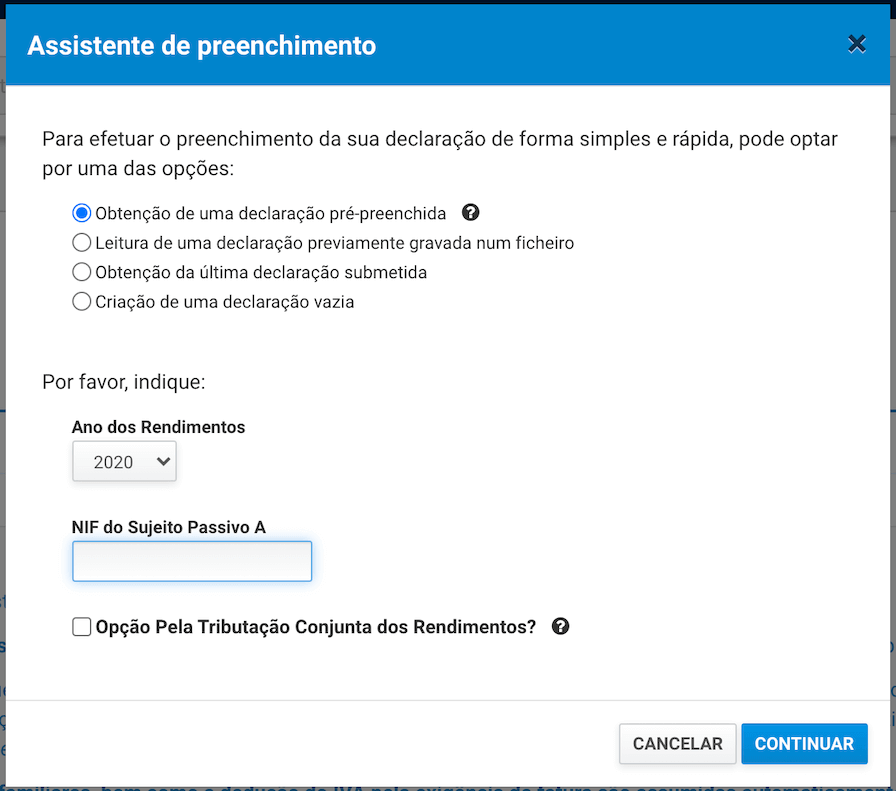
After filling out all fields - ensure it is valid. Ideally, you should be able to simulate your IRS before the next step.
Step 2: Add Anexo E, Anexo G, Anexo G1, and Anexo J
In the declaration, add "Anexo J - Rendimentos Obtidos no Estrangeiro".
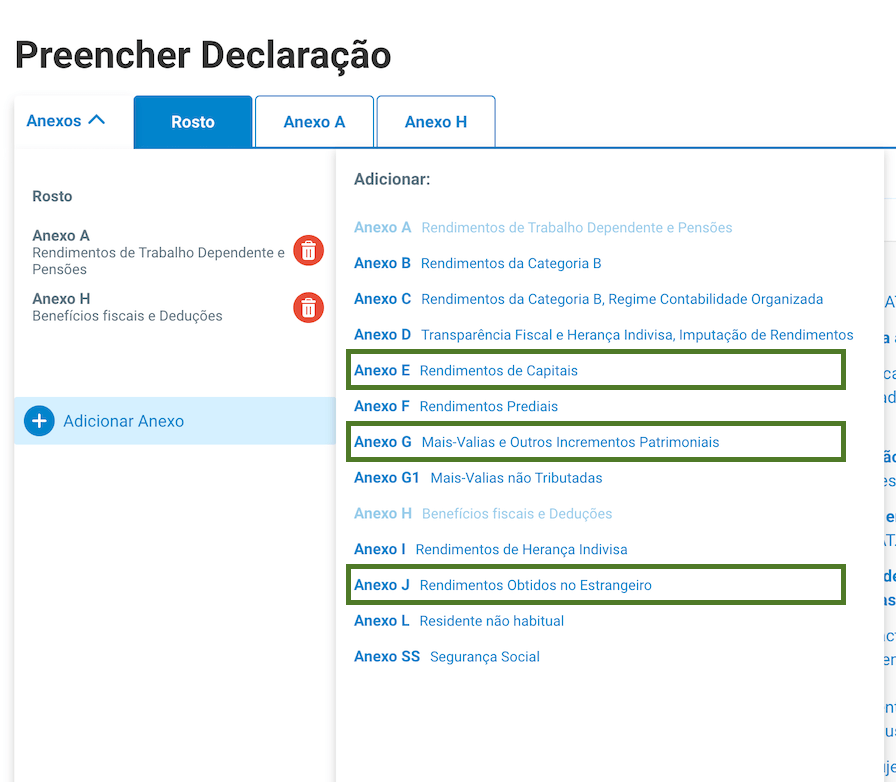
Leave all fields of Anexo J unfilled. Follow the same steps for Anexos E and G.
Step 3: Export the IRS Declaration file
In the upper right corner, you'll find an option to export the IRS Declaration file (XML format)
using the "Save" option.
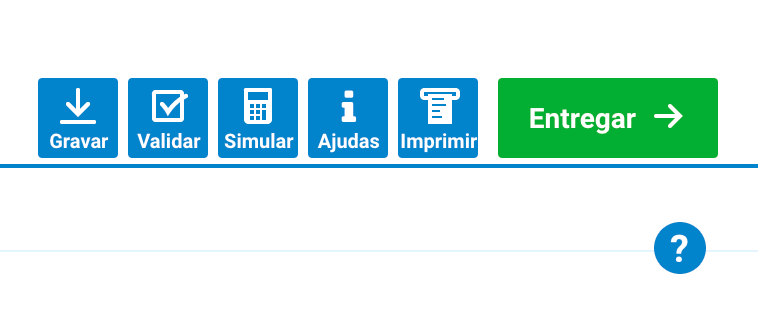
Step 4: Automatically Generate the IRS Declaration
In the Tax-Wizard tool, upload the IRS Declaration file along with the Statements exported directly
from the supported brokers, including Revolut, Degiro, eToro, XTB, Trading212, Interactive Brokers,
Lightyear, and Tradier.
Click on 'analyze files', then you'll have the option to download the Declaration
file with the Anexos filled (Anexo E, Anexo G, Anexo G1, and J).
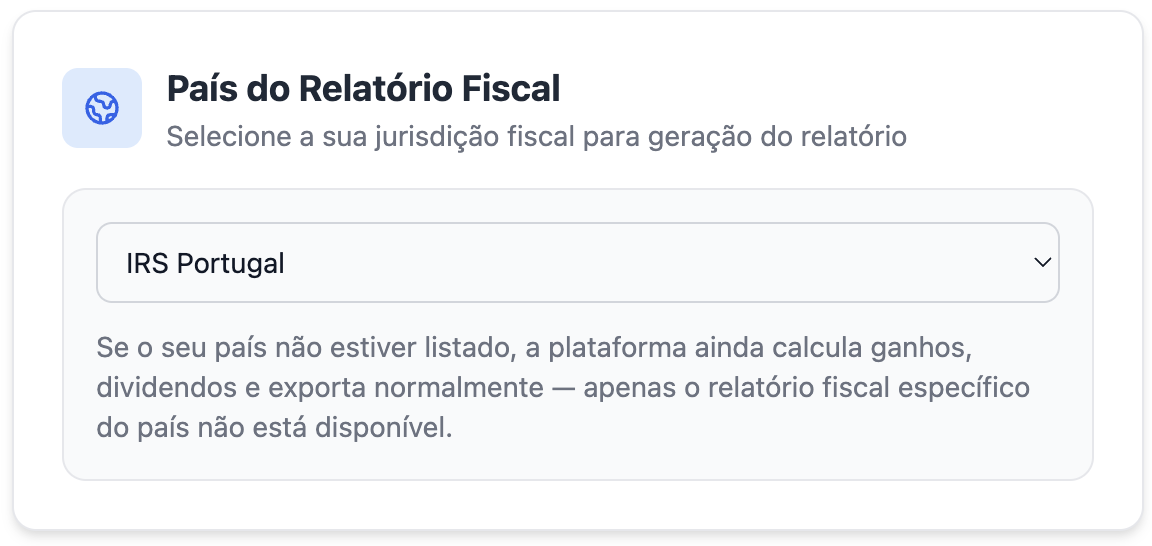
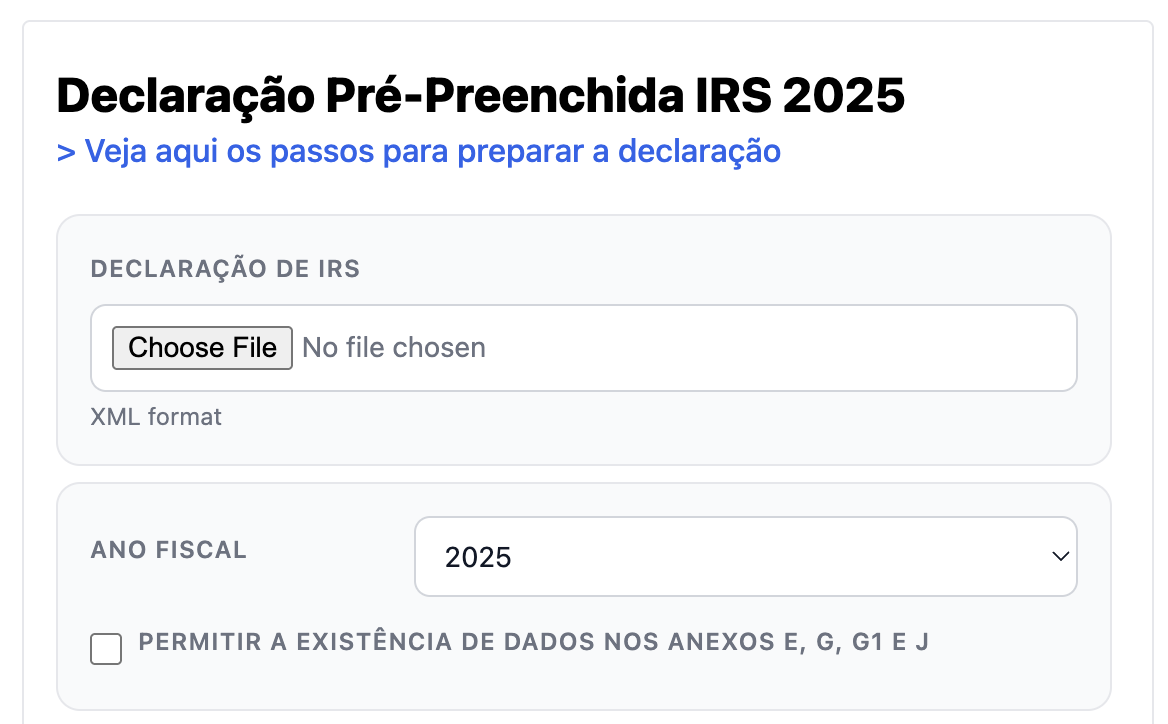
(don't worry about the screenshot language, we've got you covered and everything is translated)
Step 5: Review and Download
Access all information extracted from the files submitted directly on your Dashboard and download the various summary files generated by Tax-Wizard.
In these files, you'll find all information related to processed transactions, converted into any of the supported currencies, and with data related to capital gains.
Access all summarized data on your received dividends and interest.
We also provide a file with information regarding your open positions, such as average values, quantity. This file allows you to have an overview of your portfolio and act accordingly. Learn more about Tax-Loss Harvesting .
Regarding open positions, we provide a file compatible with Yahoo Finance where you can import your portfolio through a simple upload.
You can also download your IRS Declaration file to submit to the Portuguese Tax Authority.
If necessary, consult a professional to verify the accuracy of the reports before submitting your tax declaration.
Step 6: Submit to the Tax Authority
After downloading the automatically filled IRS Declaration file (XML), access the Portal das Finanças again, just as you would to fill out an IRS Declaration.
Upload the IRS declaration extracted from Tax-Wizard, start filling out a declaration, and use the "Leitura de uma declaração previamente gravada num ficheiro" option.
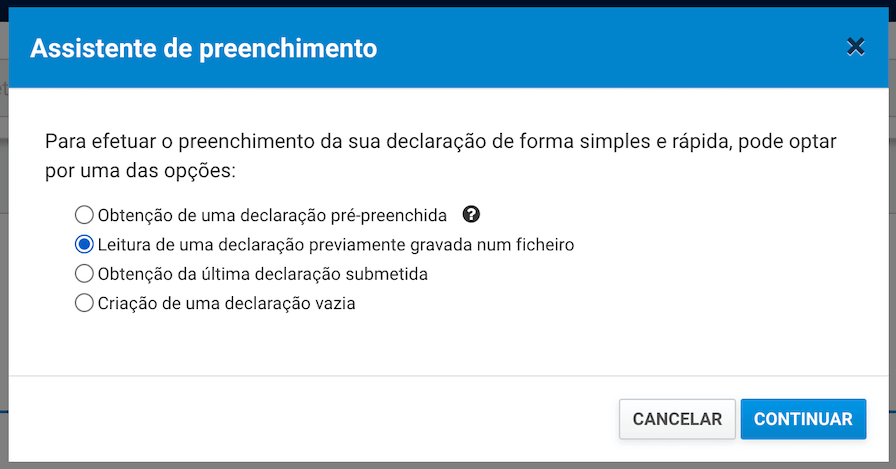
Before submitting, validate all data again to ensure that your IRS declaration is correctly filled out and free from calculation errors.
The Anexo J Problem
The Portuguese Tax Authority system does not allow running a simulation with Anexo J filled out. The Tax-Wizard allows you to do so, find out how: Simulare dichiarazione .
❓ Frequently Asked Questions
I got a validation error when submitting because Anexo E (or another annex) has no values. What should I do?
This is simple to resolve. If you have no values to declare in Anexo E (or in any other annex), you can simply remove it from the XML file before submitting.
We include every annex that might be needed to make the process easier, that way you don't have to know in advance which ones you'll require. At the end, you just remove the annexes that turned out empty or that aren't needed for your specific situation.
Quanto vale davvero il tuo tempo?
Considera il valore del tuo tempo e la tranquillità che deriva dall'avere uno strumento affidabile e preciso per gestire la tua dichiarazione fiscale
(il pagamento copre la dichiarazione di quest'anno relativa a 2025 e anni precedenti, rinnovo manuale l'anno prossimo)
Premium
Tutte le funzionalità, per Revolut, Degiro, eToro, XTB, Trading212, Interactive Brokers, Freedom24, Lightyear, Trade Republic, Coinbase, Robinhood Crypto,...
- Supporto per tutti i broker e valute
- Calcolo automatico delle plusvalenze
- Report con acquisizioni, realizzi, dividendi e interessi
- Report posizioni aperte e statistiche
- Statistiche transazioni e dividendi
- Esportare posizioni aperte in Yahoo Finance
Business
Tutte le funzionalità premium, per contabili, consulenti finanziari, consulenti fiscali o altri professionisti e aziende che desiderano utilizzare Tax-Wizard per più clienti.
- Supporto per tutti i broker e valute
- Calcolo automatico delle plusvalenze
- Report con acquisizioni, realizzi, dividendi e interessi
- Report posizioni aperte e statistiche
- Statistiche transazioni e dividendi
- Esportare posizioni aperte in Yahoo Finance