- Home
- Unterstützte Broker
- Degiro
How to Fill Your Degiro Taxes in 2026
Easily calculate your Degiro taxes with Tax-Wizard. Automate Degiro tax reporting and simplify your 2026 tax declaration process.
Zuletzt aktualisiert: · Geprüft vom Tax-Wizard-Team · Offizielles Degiro Hilfe-Center ↗
For seamless integration with Tax-wizard, you need to download specific files from your Degiro account. On this guide we'll show you:
- - How to download Degiro Account Statement, which contains the details about your transactions, dividends, and corporate actions;
- - How to export Degiro Transactions List, which contains all purchases and sales you made;
- - How to download Degiro Annual Report, which contains the information about your account balance and the total value of your investments.
The Degiro Annual Report for each fiscal year is sent at the beggining of the following year. The required files are then:
- - Account Statement (CSV format)
- - Transactions List (CSV format)
- - Annual Report (PDF format)
Using these files, Tax-wizard can automatically prepare all the details for you to fill your tax report.
Steps to Download the Required Files
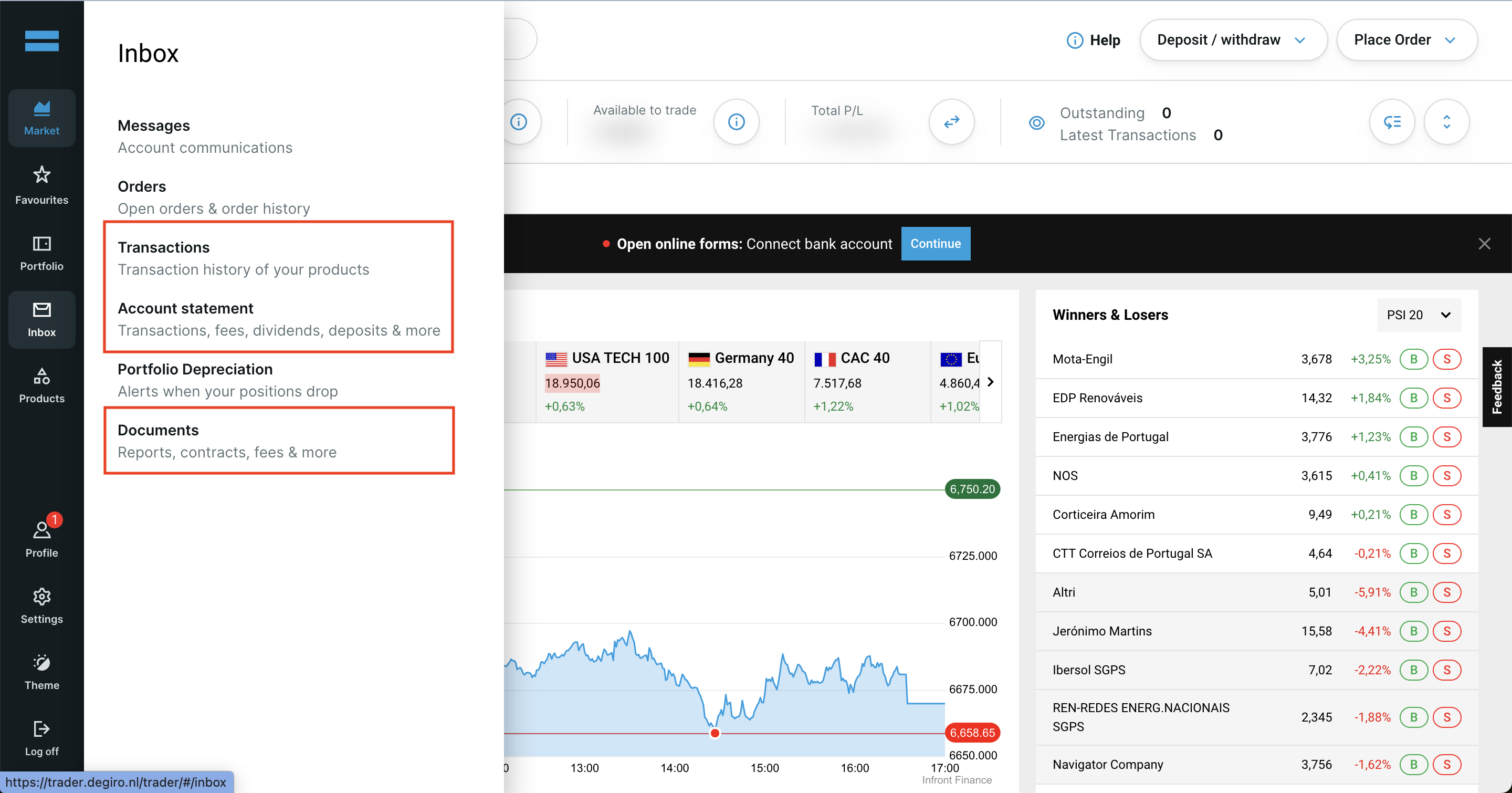
Use the side menu in your Degiro account to access Transactions, Account Statement, and Documents.
Important: Make sure to select the same period for the Account Statement and Transactions List, starting from the date your account was opened.
Start by logging in to your Degiro account and to navigate to your Degiro dashboard.
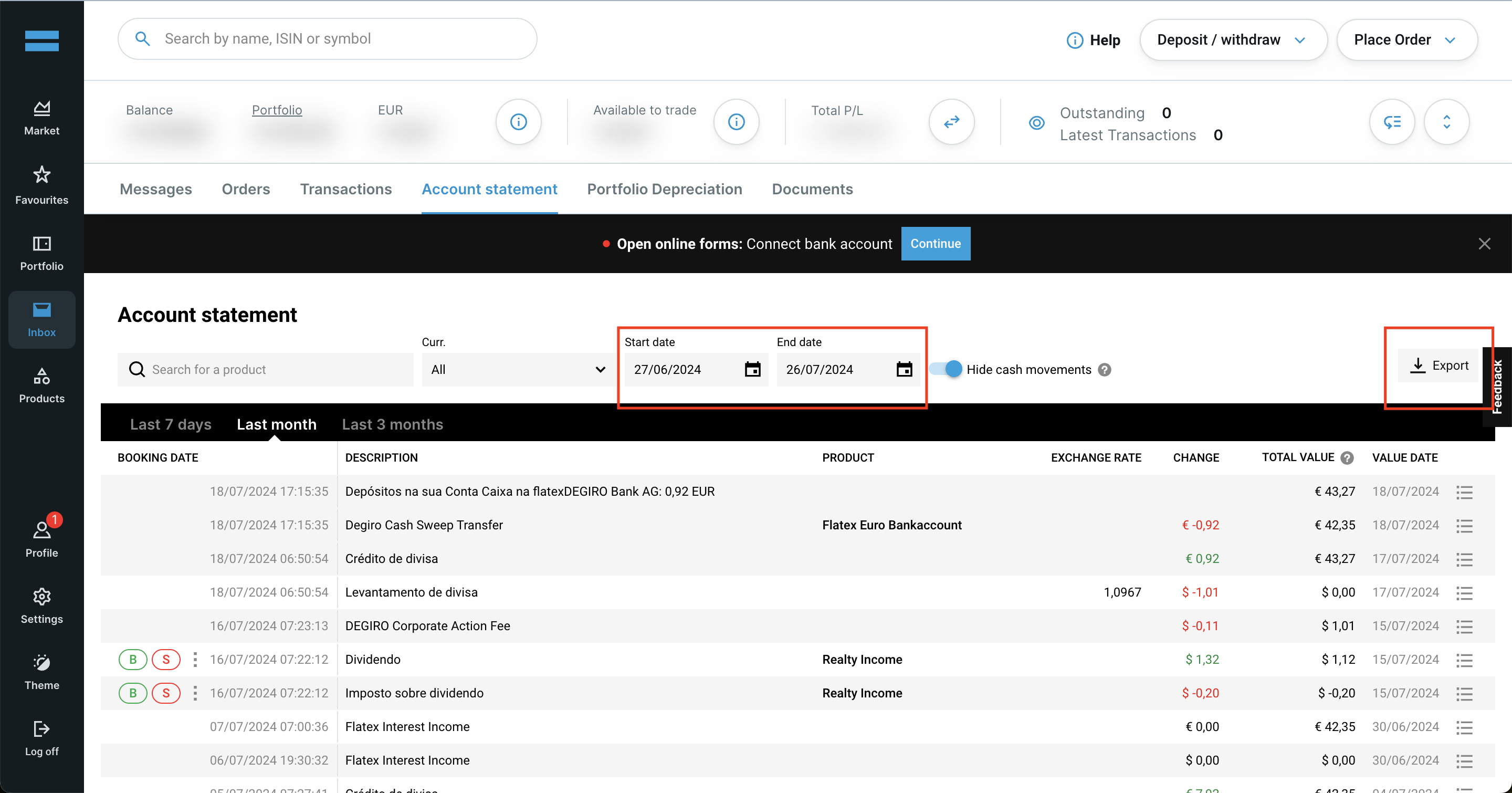
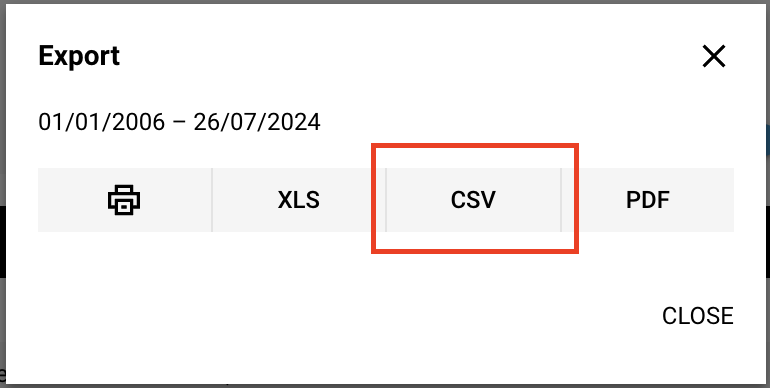
Download the Account Statement (CSV) from Degiro:
- 1. Go to the Account Statement section in your Degiro account.
- 2. Select the start date as the date your Degiro account was opened and the end date as today.
- 3. Click on the Export button and choose CSV format.
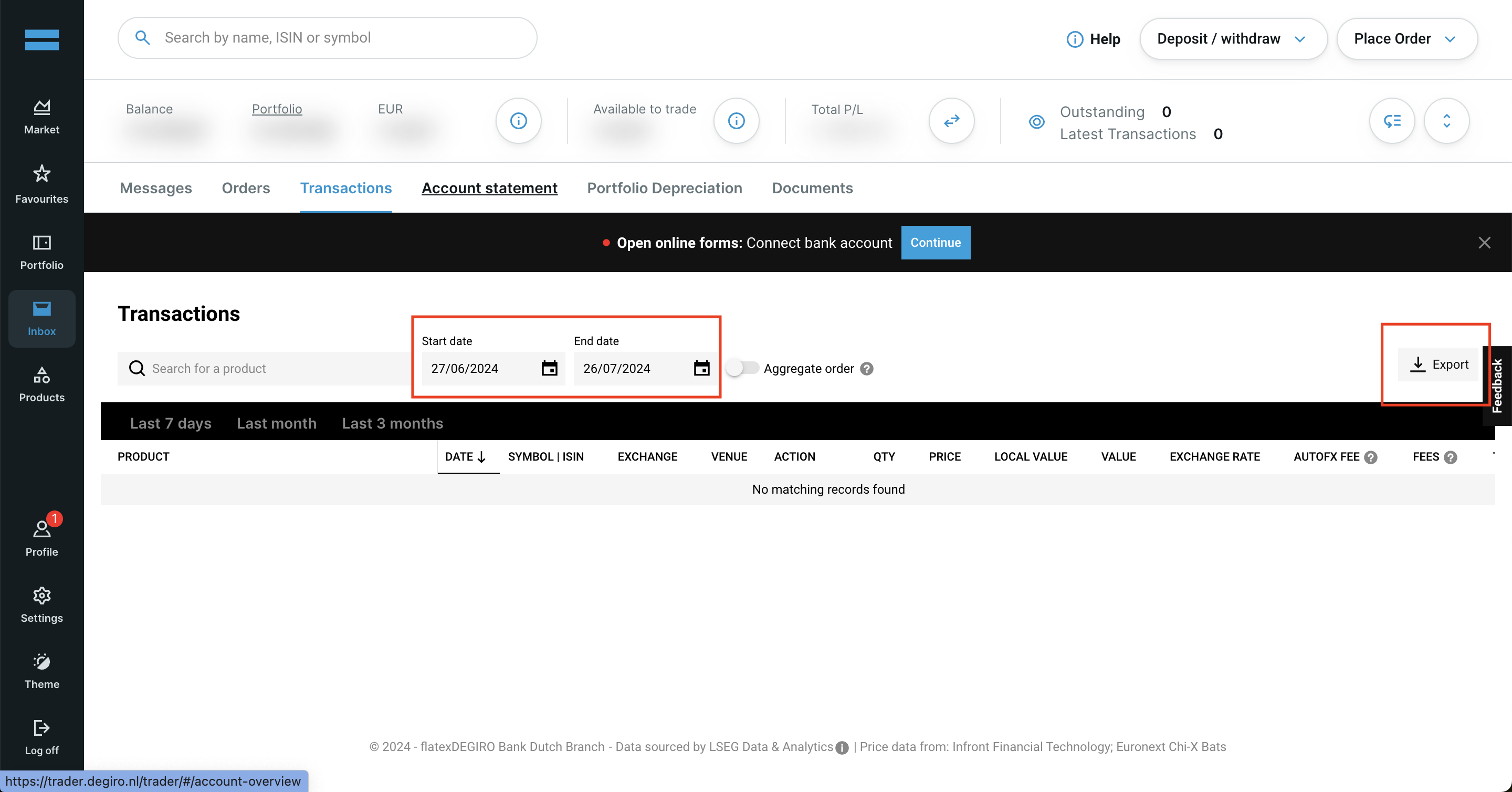
Download the Transactions List (CSV) from Degiro
- 1. Go to the Transactions section in your Degiro account.
- 2. Select the start date as the date your Degiro account was opened and the end date as today.
- 3. Click on the Export button and choose CSV format.
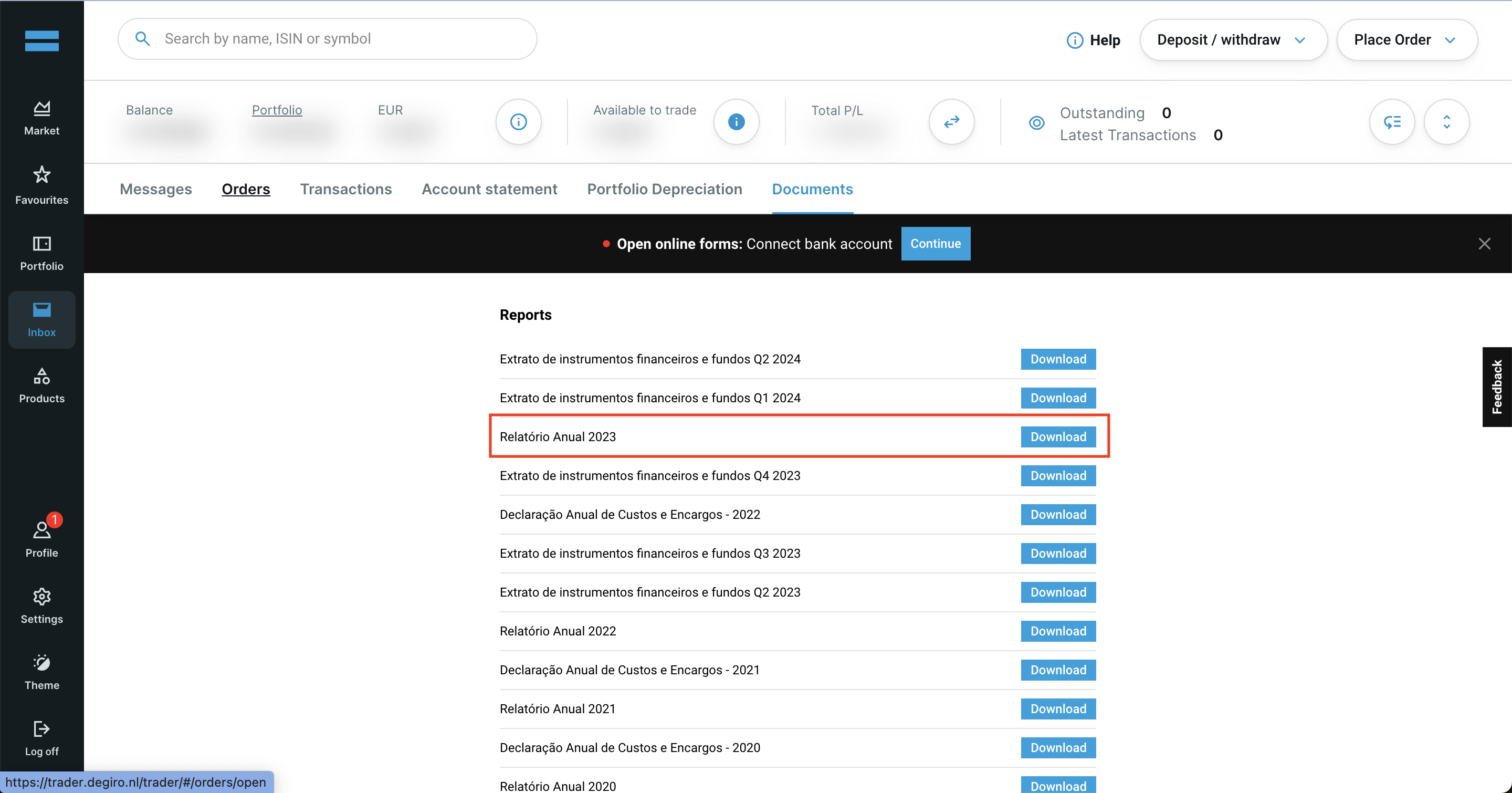
Degiro Annual Report
- 1. Go to the Documents section.
- 2. Look for Annual Report 2025.
- 3. Click on the Download button next to it.
By following these steps, you can ensure you have the correct files needed to use with Tax-wizard.
From here you can upload them to Tax-wizard and have your tax report ready in minutes.
Was ist Ihre Zeit wirklich wert?
Bedenken Sie den Wert Ihrer Zeit und die Sicherheit, die ein zuverlässiges und präzises Werkzeug für Ihre Steuererklärung bietet
(die Zahlung deckt die diesjährige Erklärung für 2025 und frühere Jahre ab, im nächsten Jahr ist eine manuelle Verlängerung nötig)
Premium
Alle Funktionen für Revolut, Degiro, eToro, XTB, Trading212, Interactive Brokers, Freedom24, Lightyear, Trade Republic, Coinbase, Robinhood Crypto, ...
- Unterstützung aller Broker und Währungen
- Automatische Berechnung der Veräußerungsgewinne
- Report mit Anschaffungen, Veräußerungen, Dividenden und Zinsen
- Report und Auswertungen zu offenen Positionen
- Auswertungen zu Transaktionen und Dividenden
- Export offener Positionen nach Yahoo Finance
Business
Alle Premium-Funktionen - für Buchhalter, Finanzberater, Steuerberater sowie andere Fachleute und Unternehmen, die Tax-Wizard für mehrere Mandanten nutzen möchten.
- Unterstützung aller Broker und Währungen
- Automatische Berechnung der Veräußerungsgewinne
- Report mit Anschaffungen, Veräußerungen, Dividenden und Zinsen
- Report und Auswertungen zu offenen Positionen
- Auswertungen zu Transaktionen und Dividenden
- Export offener Positionen nach Yahoo Finance