- Home
- Podporovaní brokeři
- Freedom24
Daně z Freedom24 2026: jak podat daňové přiznání
Snadno spočítejte daně z investic u Freedom24 s Tax-Wizard. Zautomatizujte daňové výkaznictví Freedom24 a zjednodušte si přiznání za rok 2026.
Naposledy aktualizováno: · Zkontrolováno týmem Tax-Wizard · Oficiální centrum nápovědy Freedom24 ↗
Tento návod je určen všem, kdo investují přes Freedom24 a chtějí mít jasno v tom, jak odvést daně. Uvedené informace by vám měly pomoci při výpočtu daní z investic u Freedom24. Je ale důležité doplnit si tento návod o daňové předpisy platné ve vaší zemi.
Pokud potřebujete spočítat daně ze svých investic u Freedom24, jste na správném místě! Možností je několik — spočítat daně ručně v Excelu, použít automatický daňový nástroj jako Tax-Wizard, nebo se obrátit na daňového poradce. Volba obvykle závisí na vašem rozpočtu a preferencích.
Jak exportovat historii z Freedom24
Začněte přihlášením ke svému účtu Freedom24 na freedom24.com.
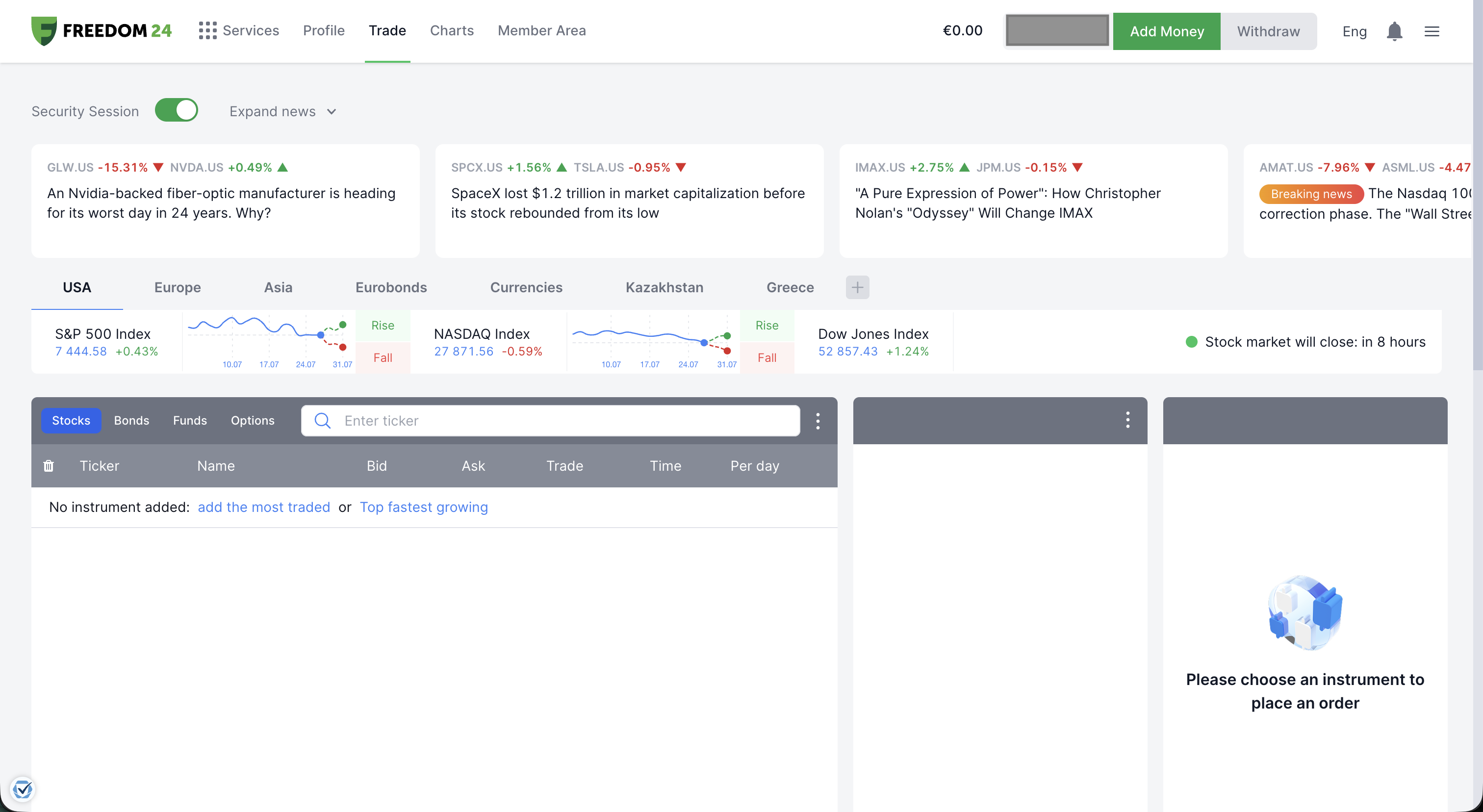
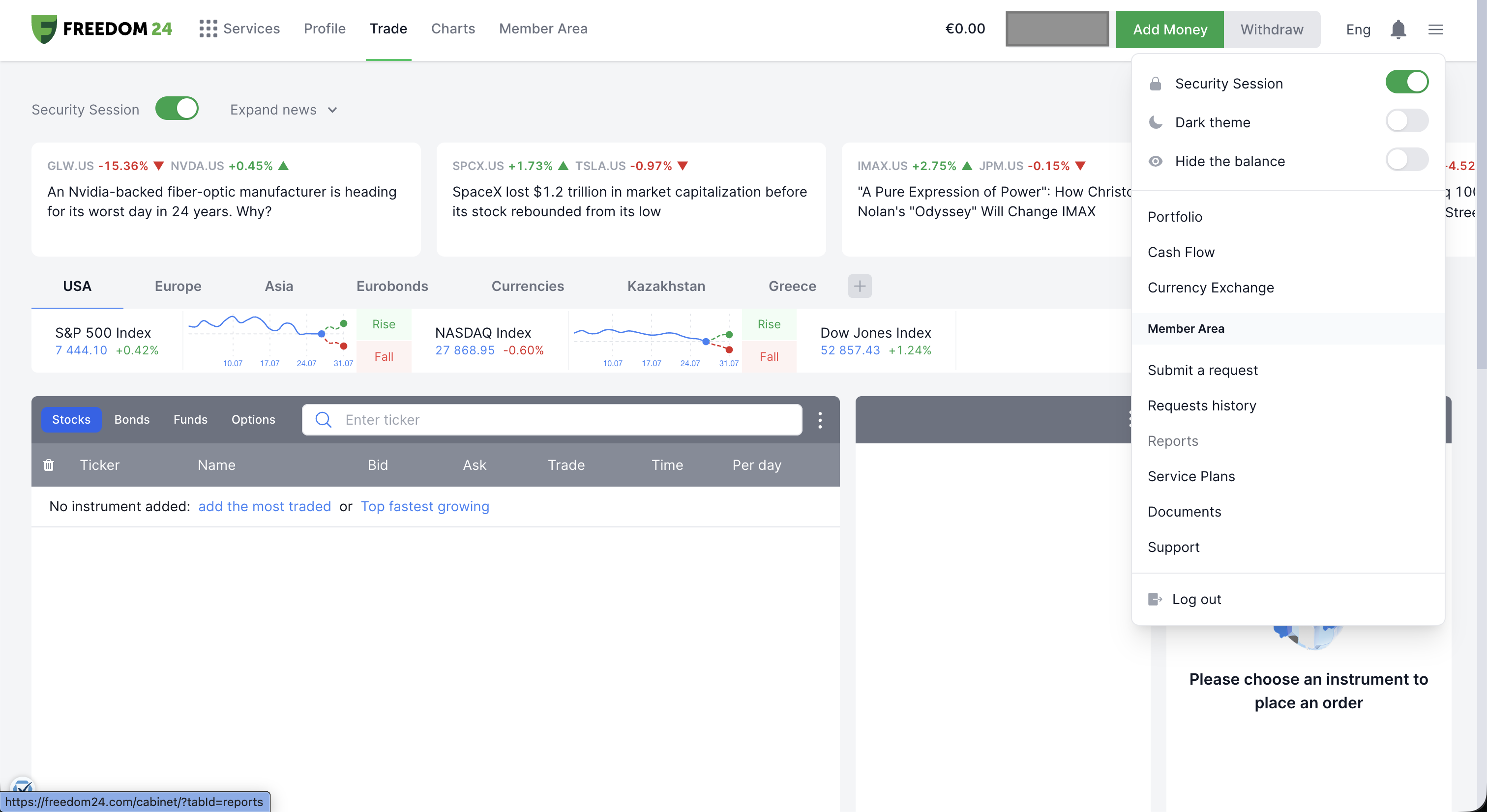
Klikněte na ikonu menu (tři čárky) v pravém horním rohu a zvolte "Member Area".
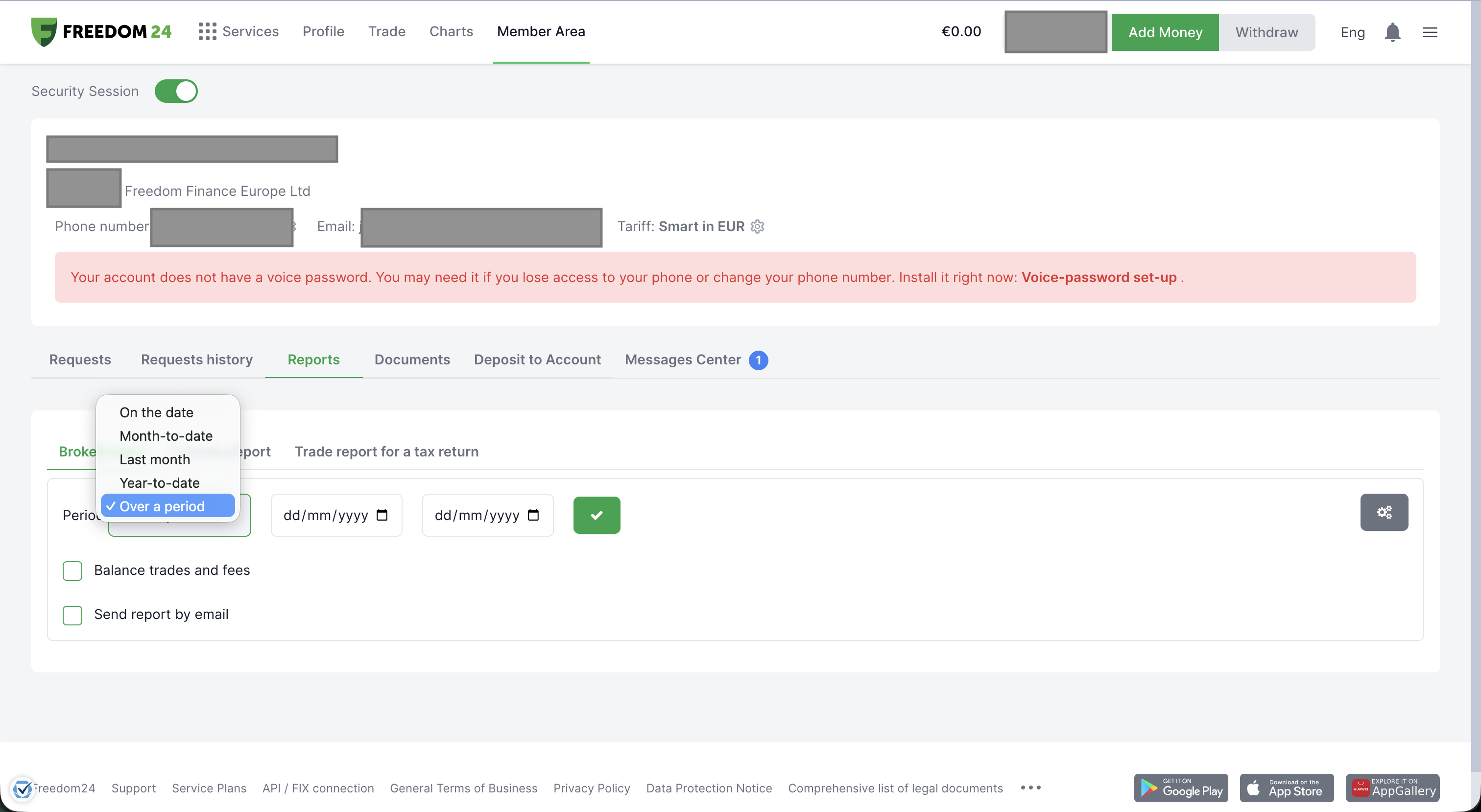
V Member Area otevřete záložku "Reports" a ověřte, že je zvolena podzáložka "Broker report" — to je soubor, který Tax-Wizard potřebuje.
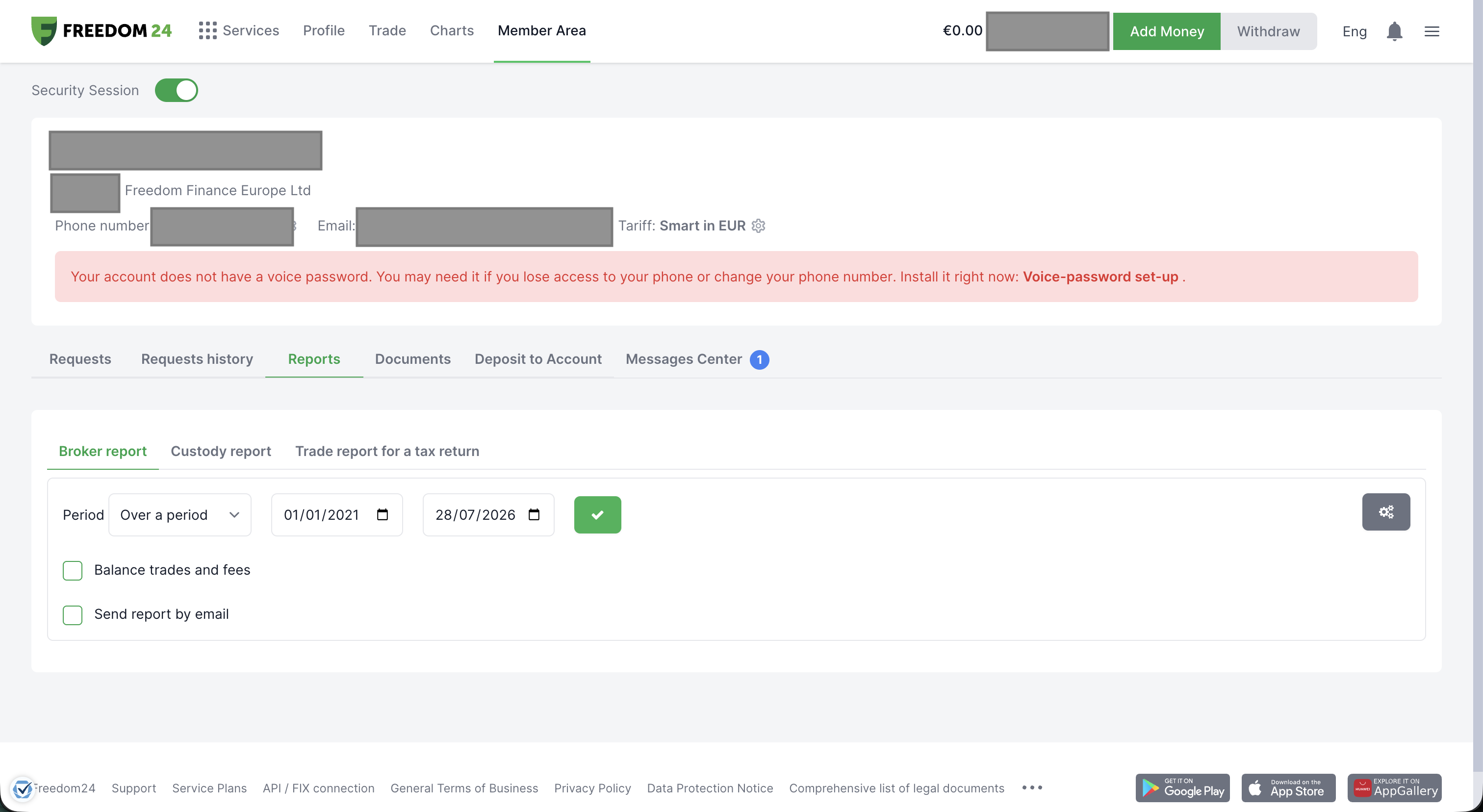
Nastavte "Period" na "Over a period" a zvolte co nejširší dostupný časový rozsah — od založení účtu u Freedom24 až po dnešek — aby byla zahrnuta celá historie nákupů, která je potřeba pro správný výpočet pořizovacích cen. Poté klikněte na zelené tlačítko se zaškrtnutím a report se vygeneruje.
Freedom24 report vygeneruje a nabídne ke stažení v několika formátech. Zvolte "XLS" — Tax-Wizard čte excelovou verzi.
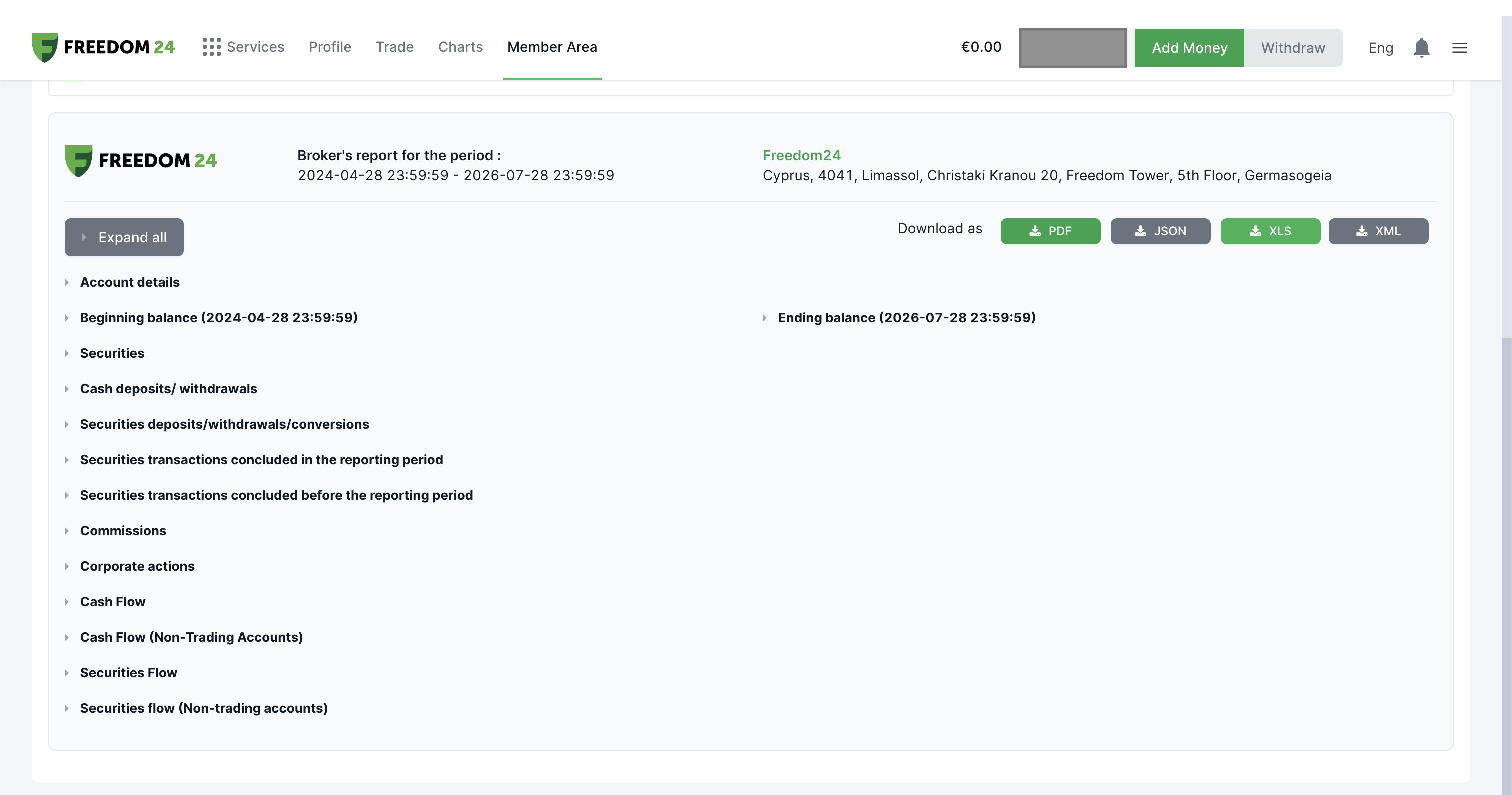
Když se budete držet těchto kroků, budete mít správný soubor pro použití s Tax-Wizard.
Odtud jej stačí do Tax-Wizard nahrát a daňový report máte hotový během několika minut.
Často kladené otázky
Který report z Freedom24 mám stáhnout — Broker report, Custody report, nebo Trade report pro daňové přiznání?
Stáhněte "Broker report" ve formátu XLS za co nejširší dostupné období. Obsahuje v jednom souboru vaše obchody, převody cenných papírů, dividendy i korporátní akce — přesně to, co parser Freedom24 v Tax-Wizard načítá. Custody report a Trade report pro daňové přiznání pokrývají užší nebo jinak formátovanou sadu dat a podporovány nejsou.
Proč se čísla z Tax-Wizard mohou lišit od vlastního reportu Freedom24?
Důvodů je několik: Tax-Wizard vám nechává vybrat metodu stanovení pořizovací ceny (FIFO, LIFO nebo průměrná cena), zatímco vlastní čísla Freedom24 mohou vycházet z jiné konvence. Tax-Wizard také přepočítává částky mimo EUR oficiálními kurzy Evropské centrální banky, které se mohou mírně lišit od kurzů, jež Freedom24 používá interně.
Jakou hodnotu má váš čas doopravdy?
Zvažte hodnotu svého času a klid, který přináší spolehlivý a přesný nástroj pro vaše daňové přiznání
(platba pokrývá letošní přiznání za rok 2025 i předchozí roky, obnovení příští rok probíhá ručně)
Premium
Všechny funkce, pro Revolut, Degiro, eToro, XTB, Trading212, Interactive Brokers, Freedom24, Lightyear, Trade Republic, Coinbase, Robinhood Crypto,...
- Podpora všech brokerů a měn
- Automatický výpočet kapitálových zisků
- Report s pořízeními, realizacemi, dividendami a úroky
- Report a statistiky otevřených pozic
- Statistiky transakcí a dividend
- Export otevřených pozic do Yahoo Finance
Business
Všechny funkce Premium, pro účetní, finanční poradce, daňové poradce a další profesionály i firmy, které chtějí Tax-Wizard využívat pro více klientů.
- Podpora všech brokerů a měn
- Automatický výpočet kapitálových zisků
- Report s pořízeními, realizacemi, dividendami a úroky
- Report a statistiky otevřených pozic
- Statistiky transakcí a dividend
- Export otevřených pozic do Yahoo Finance