- Home
- Courtiers pris en charge
- Freedom24
Impôts Freedom24 2026 : déclarer ses gains
Calculez vos impôts sur vos investissements Freedom24 avec Tax-Wizard. Exportez votre rapport de courtage et obtenez vos montants prêts pour la déclaration 2026.
Dernière mise à jour: · Vérifié par l'équipe Tax-Wizard · Centre d'aide officiel Freedom24 ↗
This guide is designed to assist anyone who has investments on Freedom24 and is seeking clarity on how to pay taxes. The information provided here should be useful when calculating your Freedom24 taxes. However, it's important to supplement this guide with the tax regulations specific to your country.
If you need to calculate taxes for your Freedom24 investments, you're in the right place! There are several ways to do this, such as calculating taxes manually in Excel, using an automated tax tool like Tax-wizard, or hiring a tax professional. Your choice will often depend on your budget and preferences.
How to export your Freedom24 history
Start by logging in to your Freedom24 account at freedom24.com.
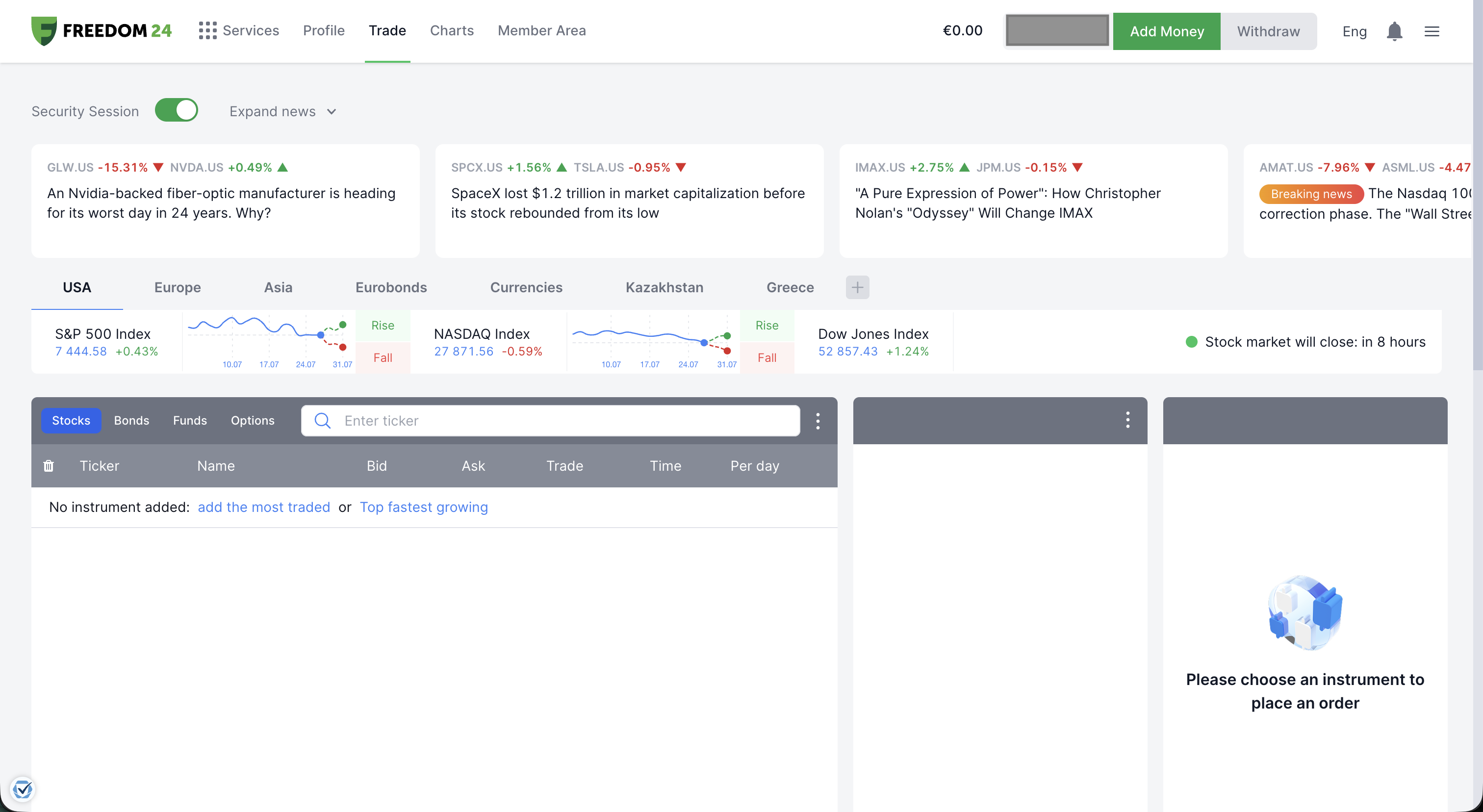
Click the menu icon (the three lines) in the top-right corner and select "Member Area".
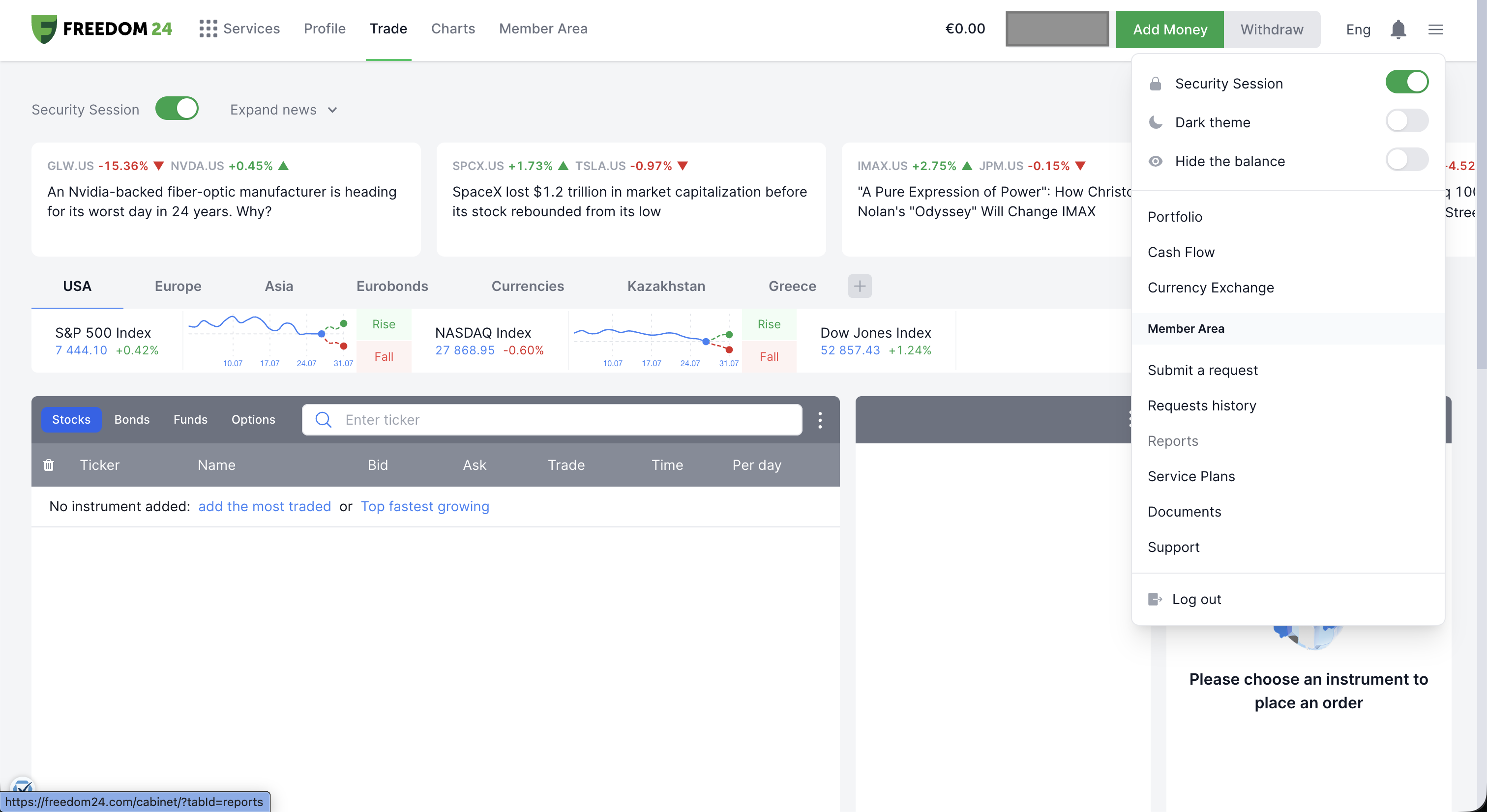
In the Member Area, open the "Reports" tab and make sure the "Broker report" sub-tab is selected - that's the file Tax-wizard needs.
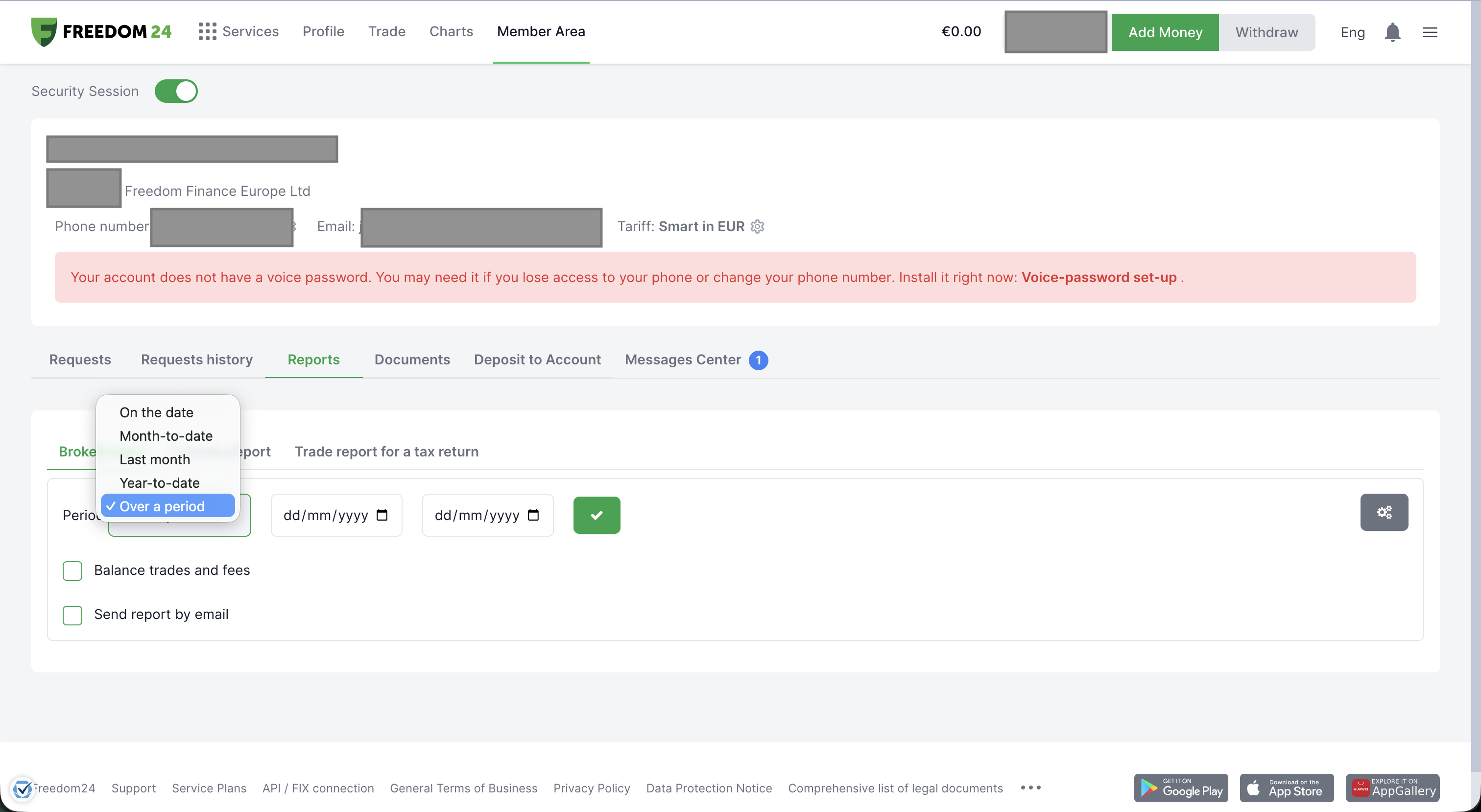
Set "Period" to "Over a period" and choose the widest date range available - from when you opened your Freedom24 account until today - so your full purchase history is included, which is required to calculate accurate cost basis. Then click the green checkmark button to generate the report.
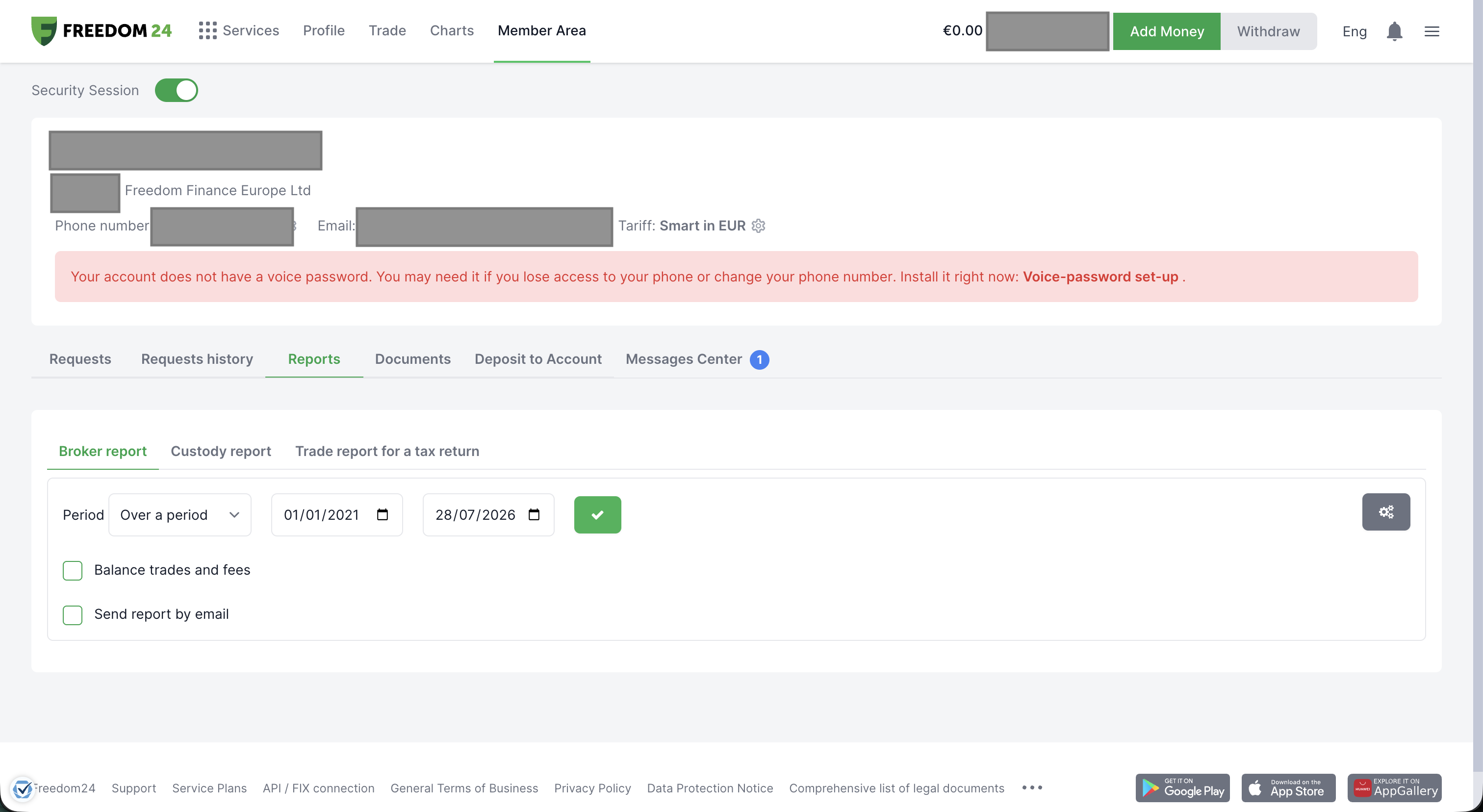
Freedom24 generates the report and lets you download it in several formats. Select "XLS" - Tax-wizard reads the Excel version.
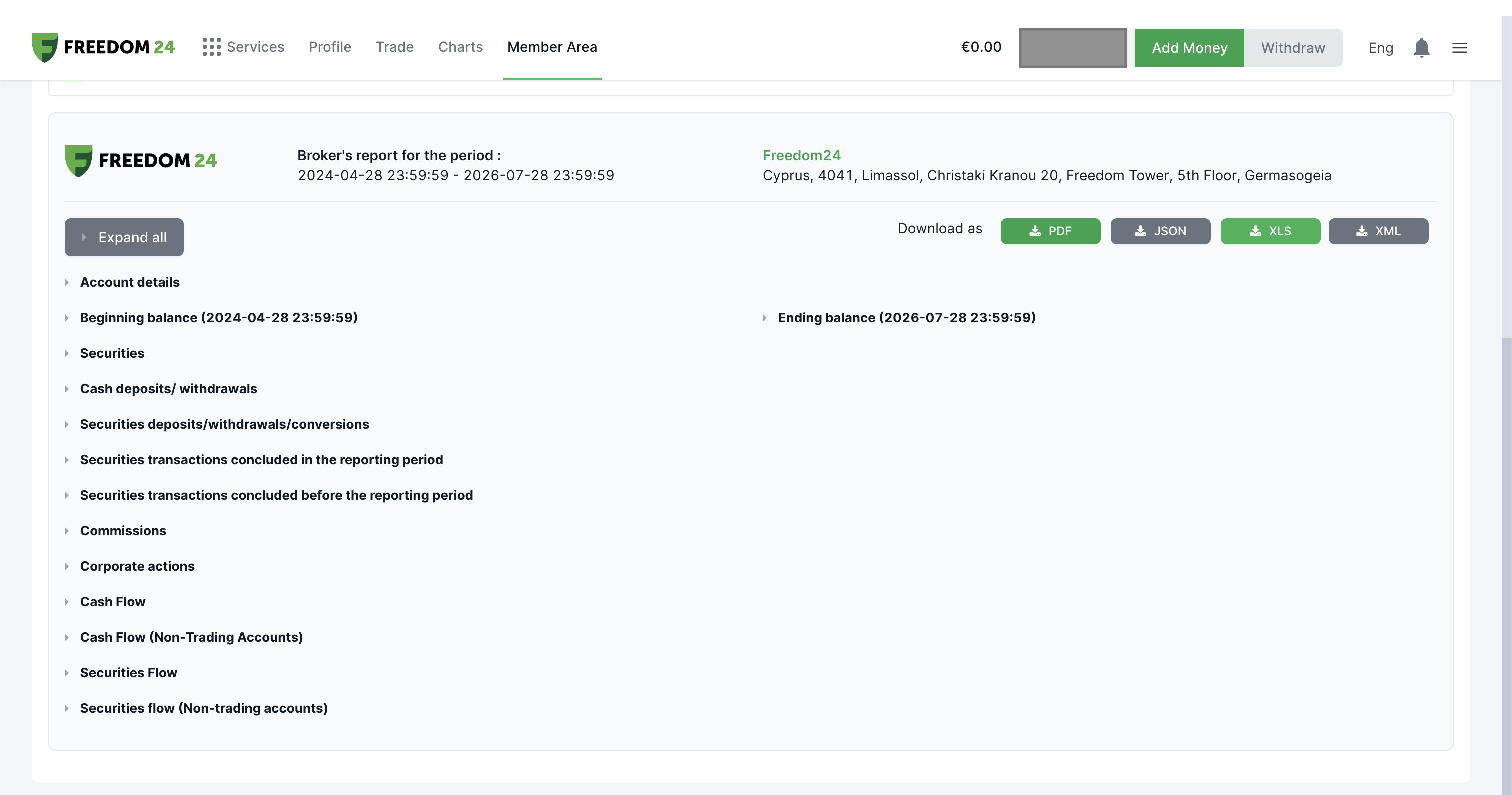
By following these steps, you can ensure you have the correct file needed to use with Tax-wizard.
From here you can upload it to Tax-wizard and have your tax report ready in minutes.
Frequently Asked Questions
Which Freedom24 report should I download - Broker report, Custody report, or Trade report for a tax return?
Download the "Broker report" in XLS format for the widest period available. It includes your trades, security transfers, dividends, and corporate actions in one file, which is what Tax-wizard's Freedom24 parser reads. The Custody report and Trade report for a tax return cover a narrower or differently formatted set of data and aren't supported.
Why might Tax-wizard's numbers differ from Freedom24's own report?
A few reasons: Tax-wizard lets you choose the cost-basis method (FIFO, LIFO, or average cost), while Freedom24's own figures may use a different convention. Tax-wizard also converts non-EUR amounts using official European Central Bank exchange rates, which can differ slightly from the rates Freedom24 applies internally.
Combien vaut vraiment votre temps ?
Pensez à la valeur de votre temps et à la tranquillité d'esprit qu'apporte un outil fiable et précis pour gérer votre déclaration fiscale
(le paiement couvre la déclaration de cette année pour 2025 et les années précédentes, renouvellement manuel l'année prochaine)
Premium
Toutes les fonctionnalités, pour Revolut, Degiro, eToro, XTB, Trading212, Interactive Brokers, Freedom24, Lightyear, Trade Republic, Coinbase, Robinhood Crypto,...
- Prise en charge de tous les courtiers et devises
- Calcul automatique des plus-values
- Rapport avec acquisitions, réalisations, dividendes et intérêts
- Rapport et statistiques des positions ouvertes
- Statistiques des transactions et des dividendes
- Export des positions ouvertes vers Yahoo Finance
Business
Toutes les fonctionnalités Premium, pour les comptables, conseillers financiers, consultants fiscaux ou autres professionnels et entreprises souhaitant utiliser Tax-Wizard pour plusieurs clients.
- Prise en charge de tous les courtiers et devises
- Calcul automatique des plus-values
- Rapport avec acquisitions, réalisations, dividendes et intérêts
- Rapport et statistiques des positions ouvertes
- Statistiques des transactions et des dividendes
- Export des positions ouvertes vers Yahoo Finance